15
Connecting to a display
AP-3500-E01
AP-3500-E01
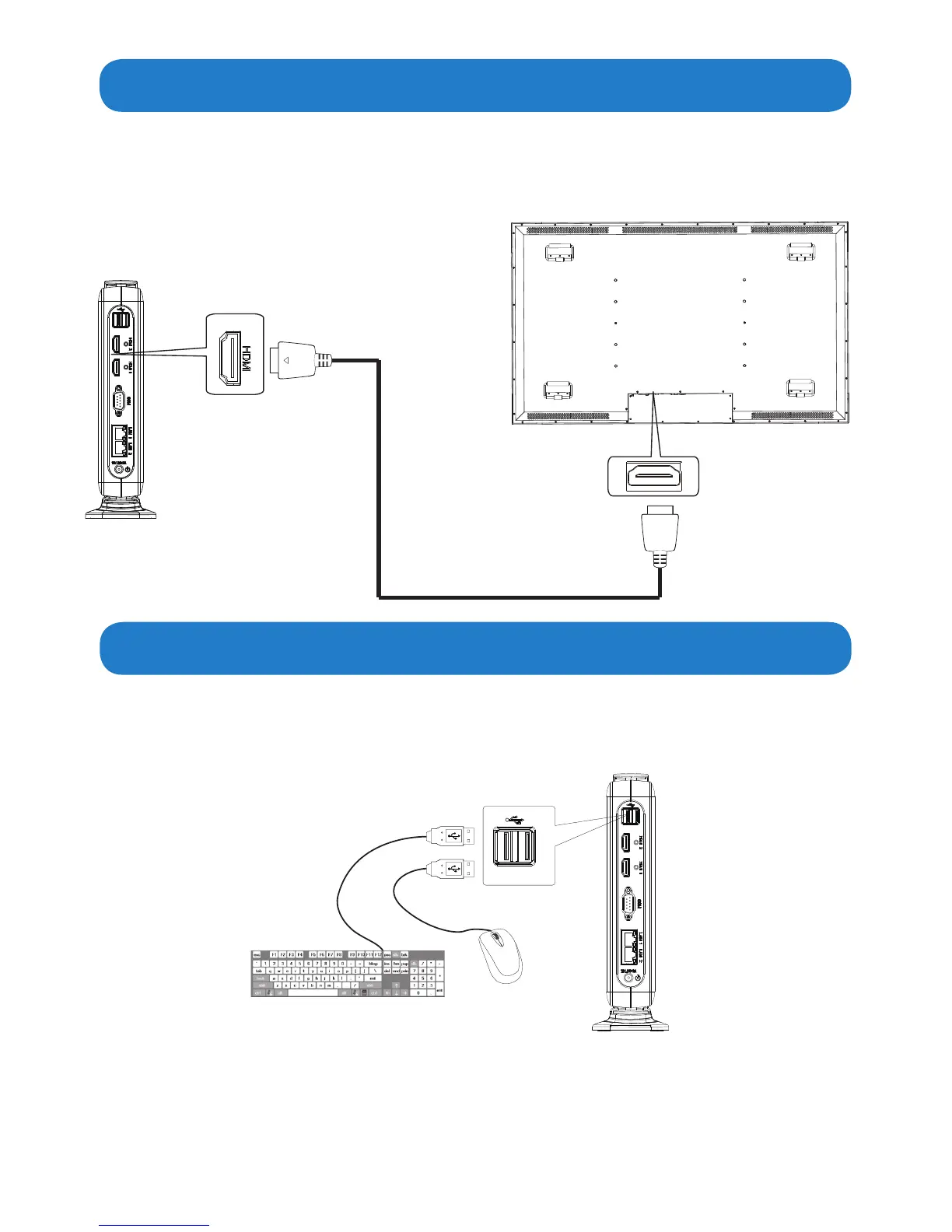
HDMI port
Display
HDMI port
HDMI cable(not supplied)
• ConnectoneendoftheHDMIcabletotheHDMIportoftheAP-3500-E01OceThin
Client. Connect the other end of the HDMI cable to the HDMI port of a display.
Connecting to a display through HDMI port
Mouse
Keyboard
USB port
Connecting to keyboard and mouse
•InsertaUSBkeyboardandaUSBmouse(not supplied) to AP-3500-E01OceThinClient
for controlling on the computer.


 To Next Page