46
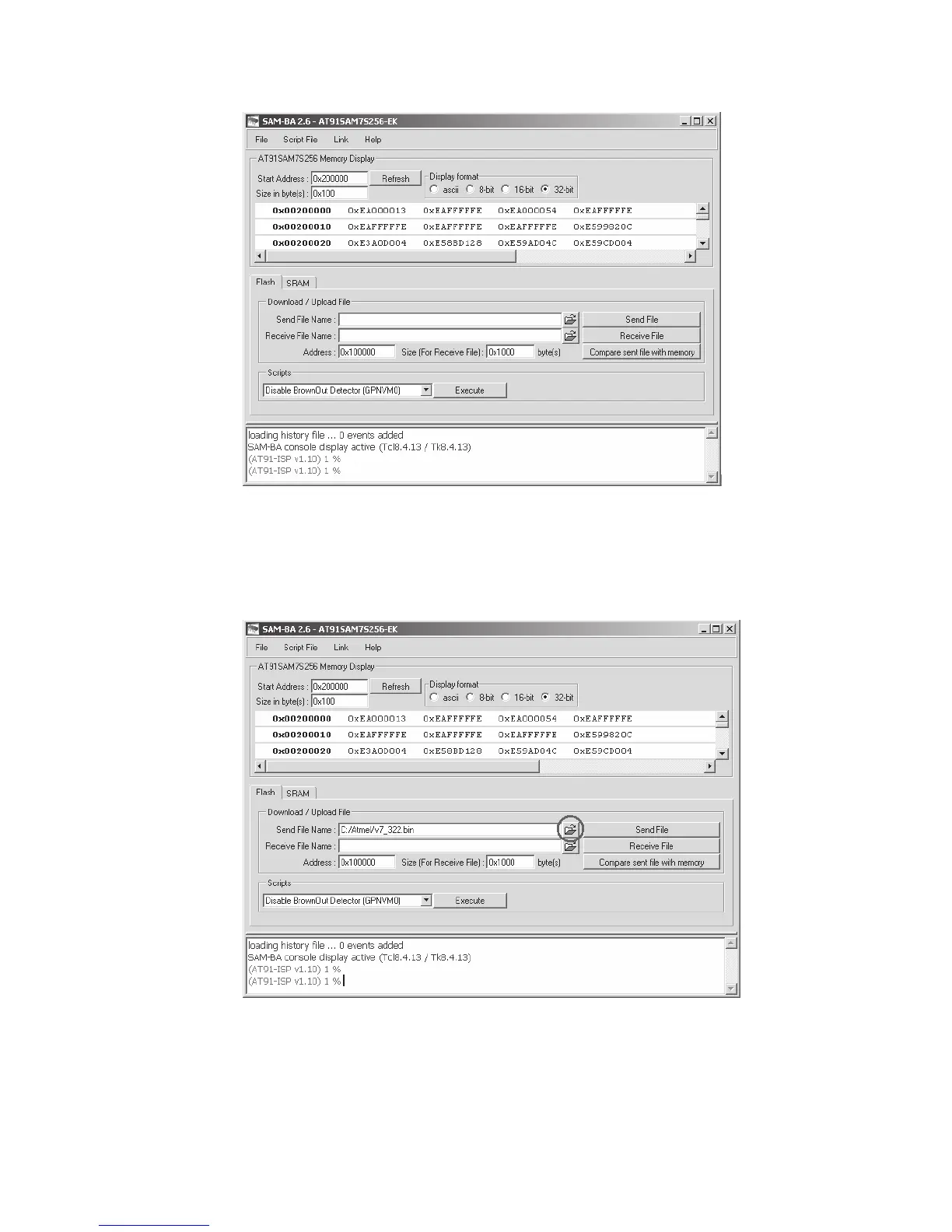
Fig. 46-1 Code Download Window
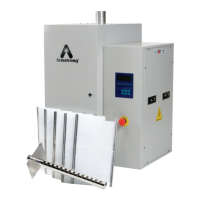
d. Click the “open folder” button on the right of textbox “Send File Name” to open the latest code,
please see figure 46-2 below. You will then have to locate the .bin file that you downloaded
from the website and then hit open.
Fig. 46-2 Open the Latest Code Window



 To Next Page