47
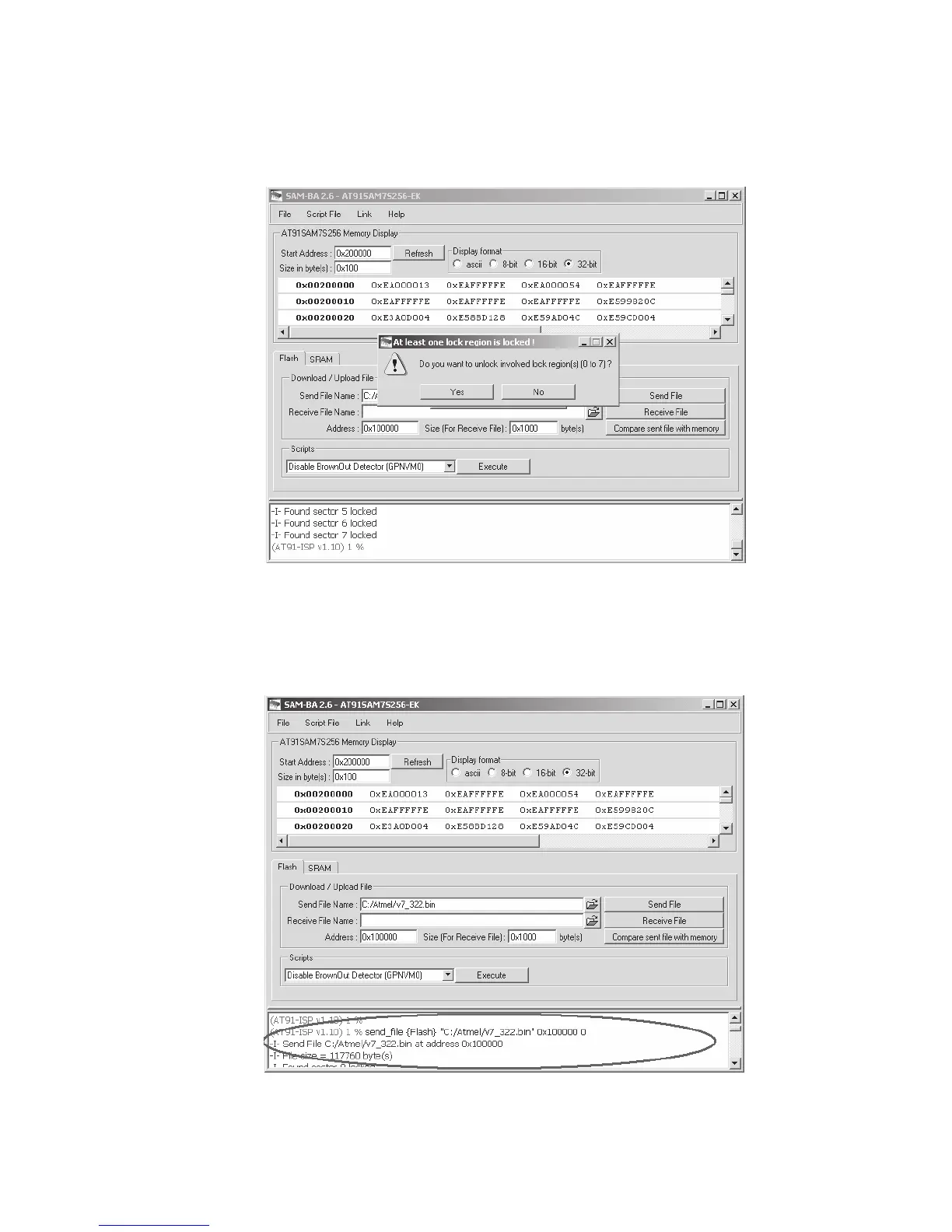
e. Click the button “Send File” to send the latest code into board. You will be asked to unlock the
involvedlockregions(0to7),clickthebutton“Yes”tobeginsendcodeintoboard.Pleasesee
figure 47-1 below.
Fig. 47-1 Message Unlock Involved Lock Regions Window
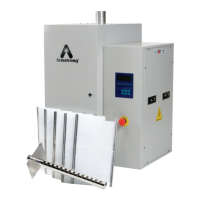
f. When sending was finished, you will be asked to lock all locks that you have opened just now,
click the button “Yes” to lock these locks. You can verify that the code was send to the board
by scrolling up in the message box. See Figure 47-2 below.
Fig. 47-2 Verifying Code was Sent



 To Next Page