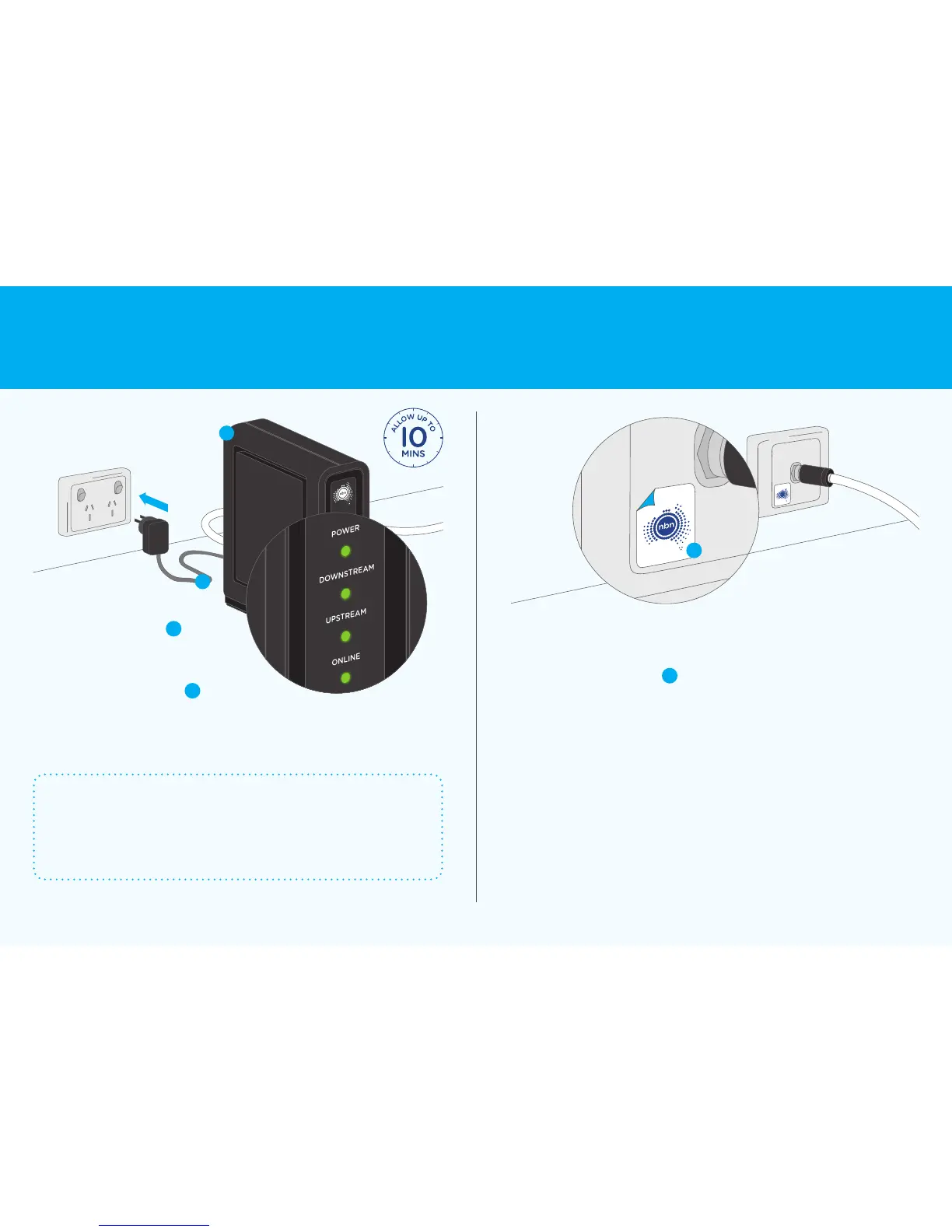
No solid green lights?
Check that the white cable is connected to the wall outlet securely.
If it is, and there are still no solid green lights, try connecting your
nbn
™
connection box to another cable wall outlet. If this doesn’t
work, contact your service provider.
Once you get four solid green
lights, stick the nbn
™
sticker
D
to
the cable wall outlet to help you
identify it in the future
43
Label your cable
wall outlet
Activate the
nbn
™
connection box
C
A
Plug the power adaptor
C
into a
nearby power outlet and switch on
thepower – wait until you get four
solidgreen lights on the front panel
ofthe nbn
™
connection box
A
It will take up to 10 minutes for the lights
to stop flashing – do not unplug your
connection box during this process
D
7 Connection without pay TV or existing cable internet Connecting to the nbn
™
network 8











 To Next Page