Chapter 3: Install and replace the battery (TM804G only)
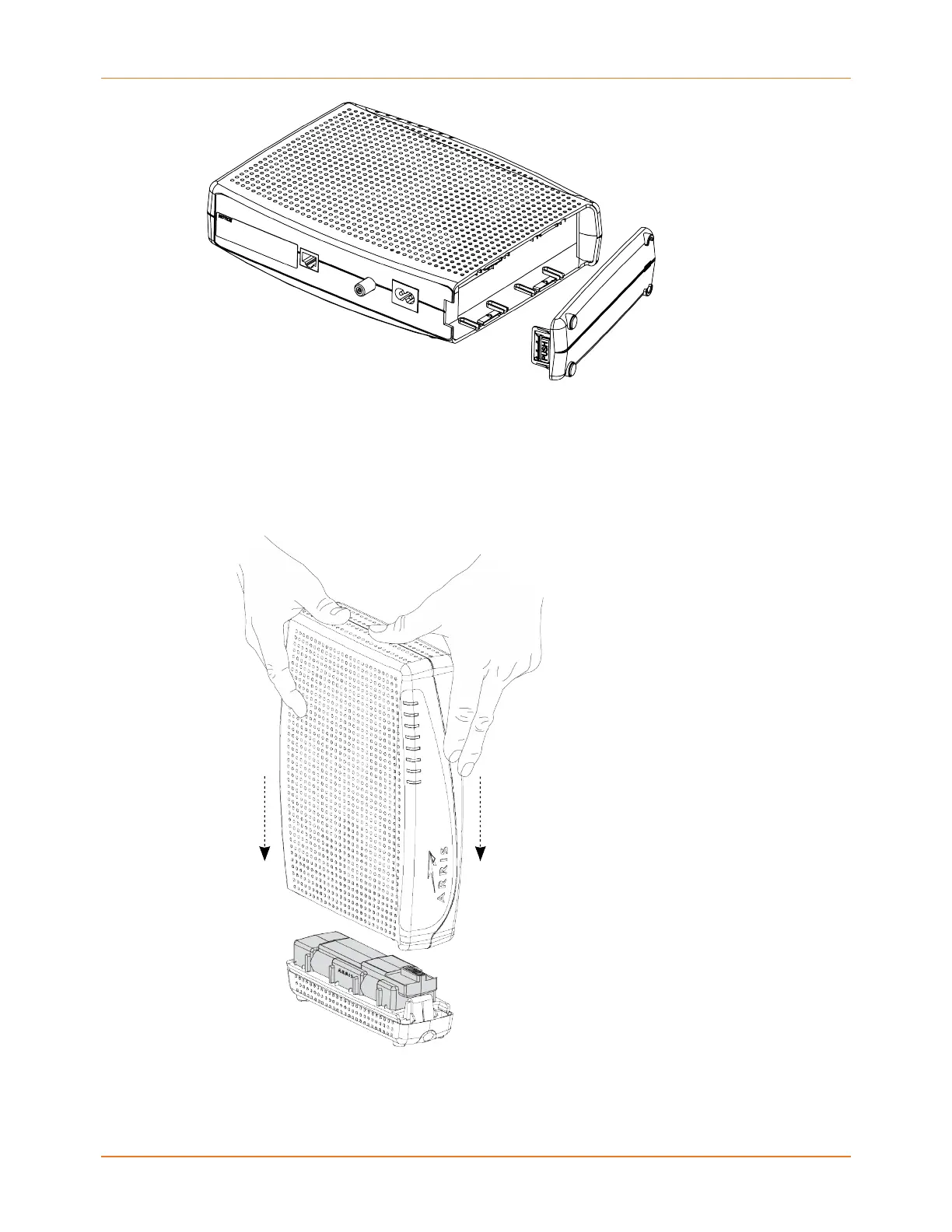
2. Place the battery on a firm horizontal surface.
3. Position the Telephony Modem over the battery, aligning the slots on the battery bay
with the tabs on the battery. Push straight down on the Telephony Modem until the
battery latch clicks into place. You may need to push down gently on the front of the
Telephony Modem to latch the battery into place. The Telephony Modem will not begin
operating until you apply AC power.
4. Replace the door by placing the tabs of the battery door into the slot on the Telephony
Modem battery compartment. Rotate the door toward the front of the Telephony
Modem until the latch snaps back into place. The Telephony Modem uses a Lithium-Ion
Touchstone TM804 Telephony Modem User Guide STANDARD Revision 1.2 21















 To Next Page