VIP5602WT Wireless IPTV Receiver Installation Guide 7
Digital Audio/Video Connections
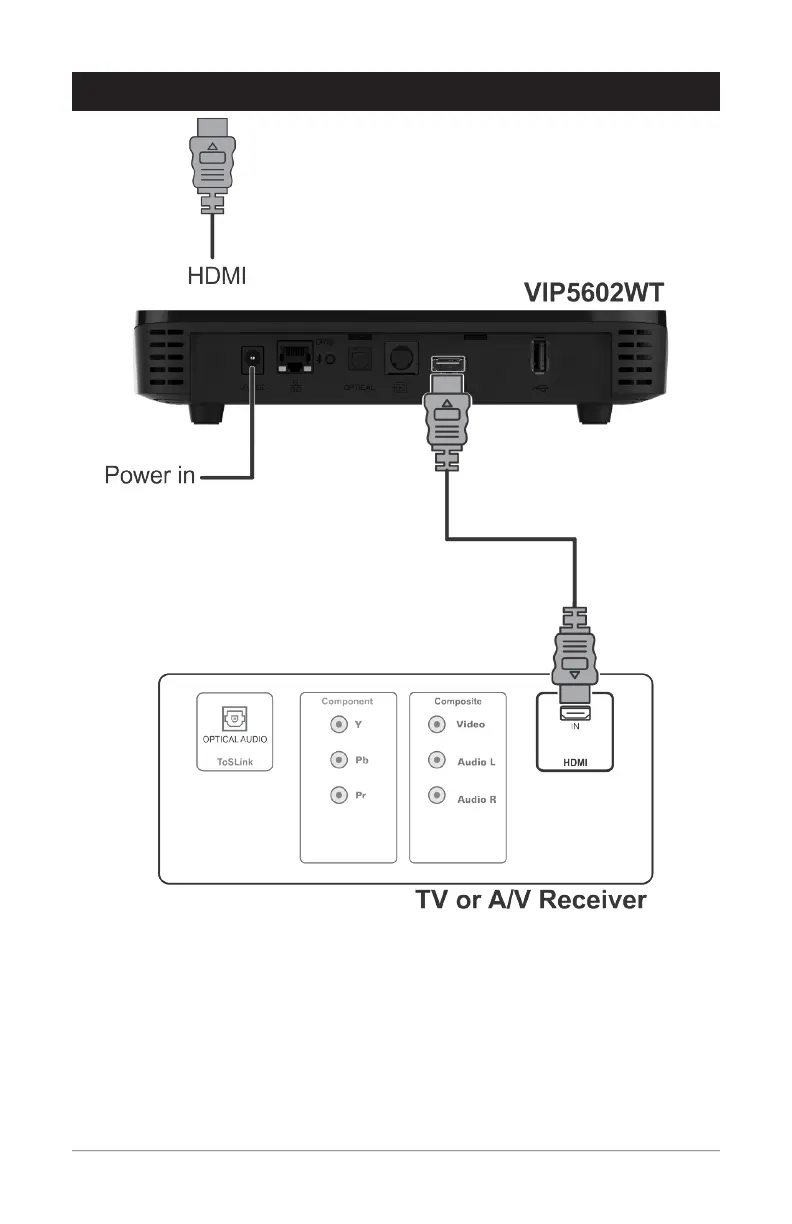
• If your HDTV has an HDMI input, connect an HDMI cable to the HDMI connector as
shown. The HDMI connection carries both digital video and digital audio signals.
• If your HDTV has a DVI input, you can use an HDMI-to-DVI converter to connect to
the VIP5602WT HDMI connector. DVI video carries video signals only. Use the optical
audio or stereo audio connectors to provide audio output.


 To Next Page