Installation
VMS1100 Hybrid QAM/IP Video Media Server • Installation and Operation Manual
-095-25654 x.1 This document is uncontrolled pending incorporation in an ARRIS CMS
This section provides instructions for connecting and configuring the VMS1100 in a multi−television screen
household. The VMS1100 supports an auto-provisioning feature that automates many of the tasks required to
configure and provision the in-home IP video components.
The installation will include the following series of steps:
• Connecting to the Optical Network Terminator (ONT)
• Connecting the home router
• Connecting the RF coaxial cable to the RF connector in on each set-top
• Connecting the A/V connections for each set top to the home theater equipment
• Performing the Auto-Provisioning procedures from the VMS1100 On-screen menu
• Optimize the high definition settings
Before You Begin
Before you move or change components on the subscriber’s entertainment system, do the following:
• Make sure you have all the required tools and equipment.
• Review the installation instructions.
• Check the home coaxial topology.
ο Make sure no cable network or satellite dish is connected.
ο Make sure there are no amplifiers that could interfere with the MoCA network.
ο Determine the numbers and type of splitters used.
ο Verify that the signal at each coaxial outlet you will use is in the range -10 to +10 dBmV.
ο If necessary, replace or move amplifiers or splitters.
• Check the home entertainment system. Determine if you are connecting to one of the following:
ο Standard-Definition analog NTSC TV (supporting RF input)
ο Baseband Composite video or S-Video
ο High-Definition TV (Component video, HDMI, or DVI)
• Determine if the subscriber has other equipment to be connected to the terminal (Home Theater or A/V
receiver, VCR, etc.). Verify that you have the necessary cables and other required items.
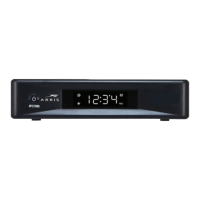
• Have the customer specify where the VMS1100 media server should be installed.
Note: Make sure to install the VMS1100 media server before connecting any other set-tops.
• Write down the MAC address and serial number for each VMS1100 and IP Client set-top box. The labels
are located on the bottom of the devices.


 To Next Page