Installation
VMS1100 Hybrid QAM/IP Video Media Server • Installation and Operation Manual
-095-25654 x.1 This document is uncontrolled pending incorporation in an ARRIS CMS
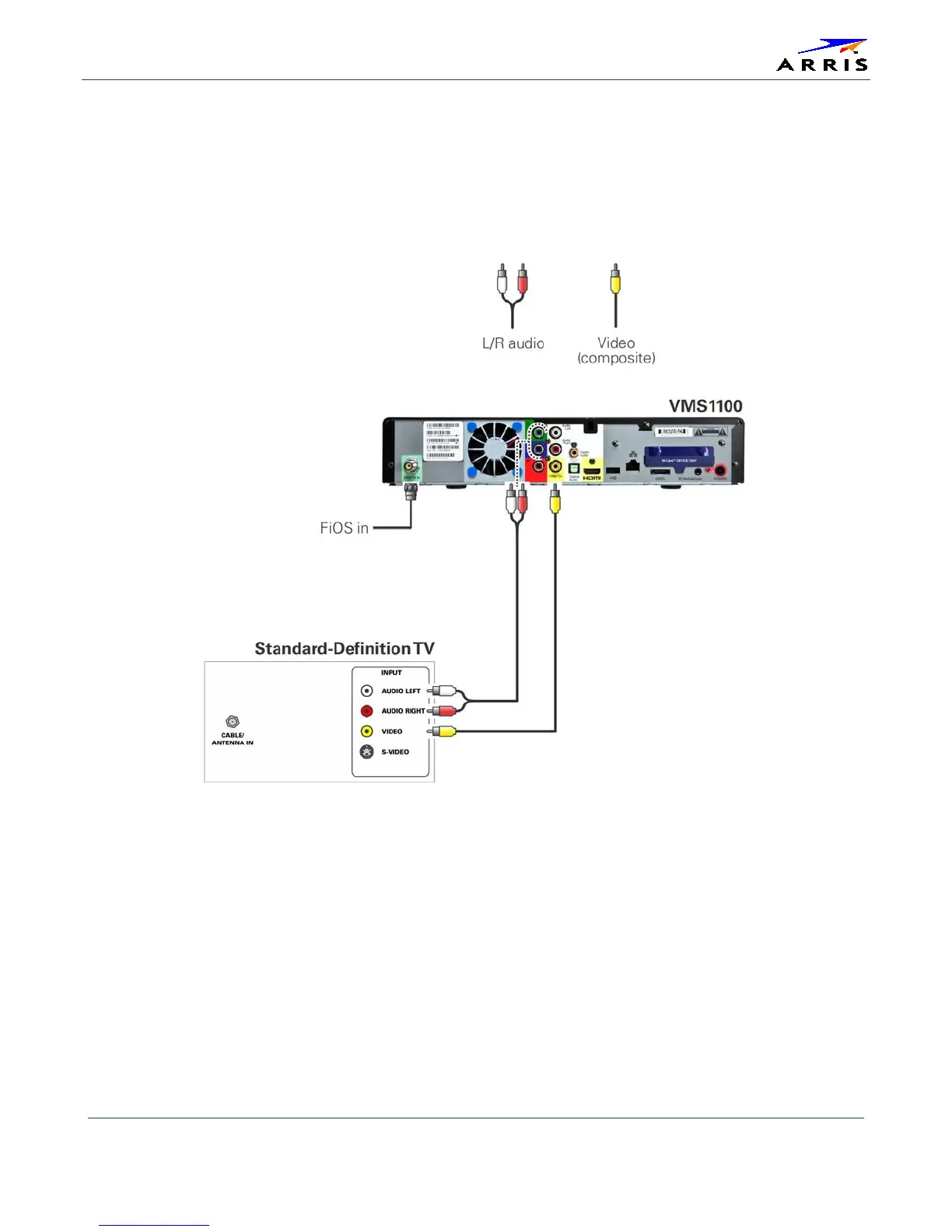
Connecting a Standard-Definition TV
1. Connect the stereo audio cable to the audio L or R connector on the VMS1100 and the audio left and
audio right connectors on the SDTV.
2. If the TV has an HDMI input, connect it to the HDMI output on the VMS1100.
3. If the TV has a DVI input, you can connect it to the HDMI output on the VMS1100 using an HDMI-to-DVI
converter cable or adapter.
Figure 15 – Standard-Definition TV Connection


 To Next Page