Diagnostics
VMS1100 Hybrid QAM/IP Video Media Server • Installation and Operation Manual
-095-25654 x.1 This document is uncontrolled pending incorporation in an ARRIS CMS
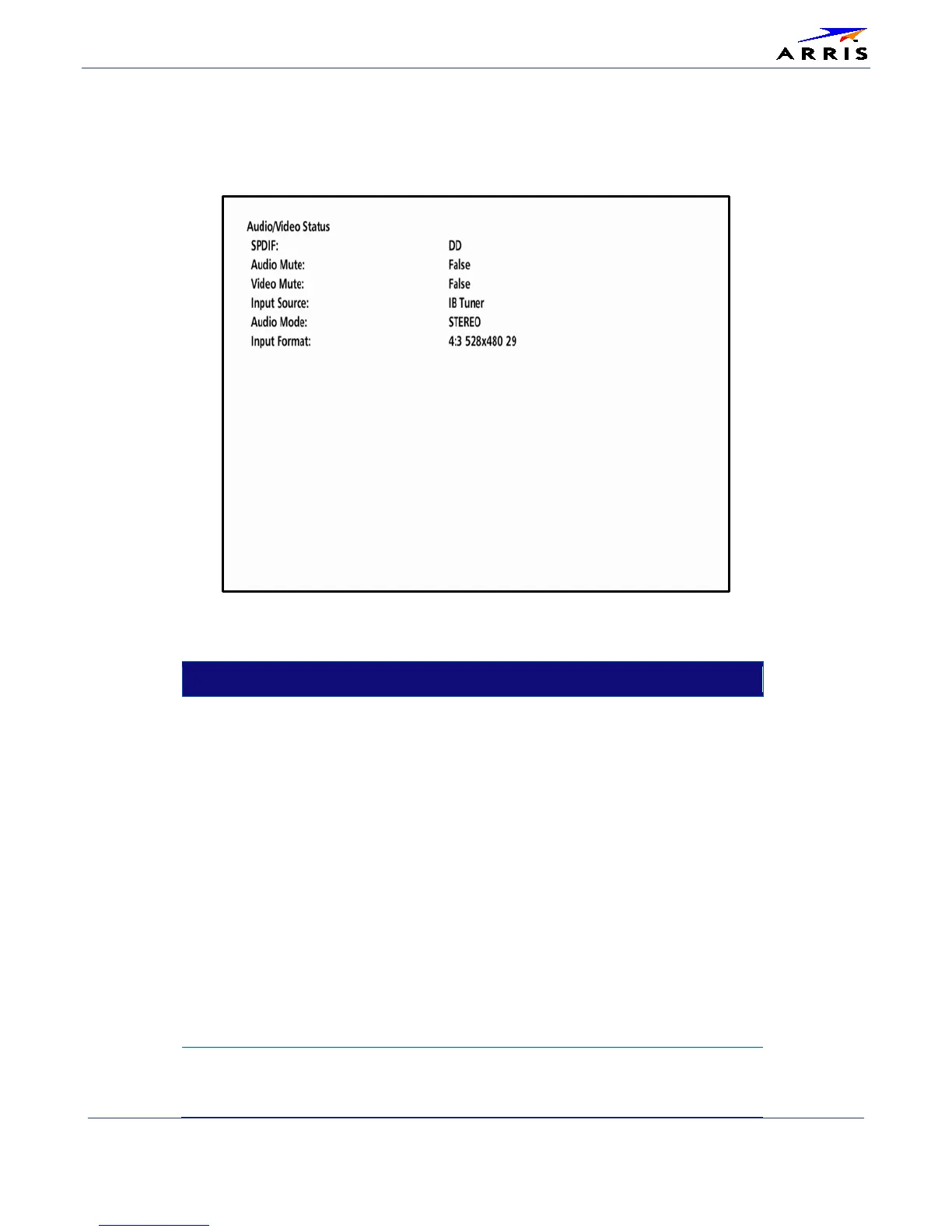
d07 Audio / Video Status
This diagnostic displays the Ethernet Return status. The information is updated each time this diagnostic is
displayed.
Table 25 – Audio / Video Status Fields
FIELD DESCRIPTION
Audio SPDIF
Indicates S/PDIF Mode as set by application software.
• N/A Audio S/PDIF mode is not applicable.
• IEC958PCM PCM audio selected.
• DD (Dolby Digital) For Dolby Digital selection, the
following speaker selection is set:
• 1/0 right front or left front.
• 2/0 right front and left front.
• 3/0 right front and left front and center.
• 2/1 right front and left front and (right rear or left
rear).
• 3/1 right front and left front and center and (right rear
or left rear).
• 2/2 right front and left front and right rear and left
rear.
• 3/2 right front and left front and center and right rear
and left rear
Audio Mute
Audio Mute indicates if any of the audio outputs have been
muted by the software, for example, selectable output
control.


 To Next Page