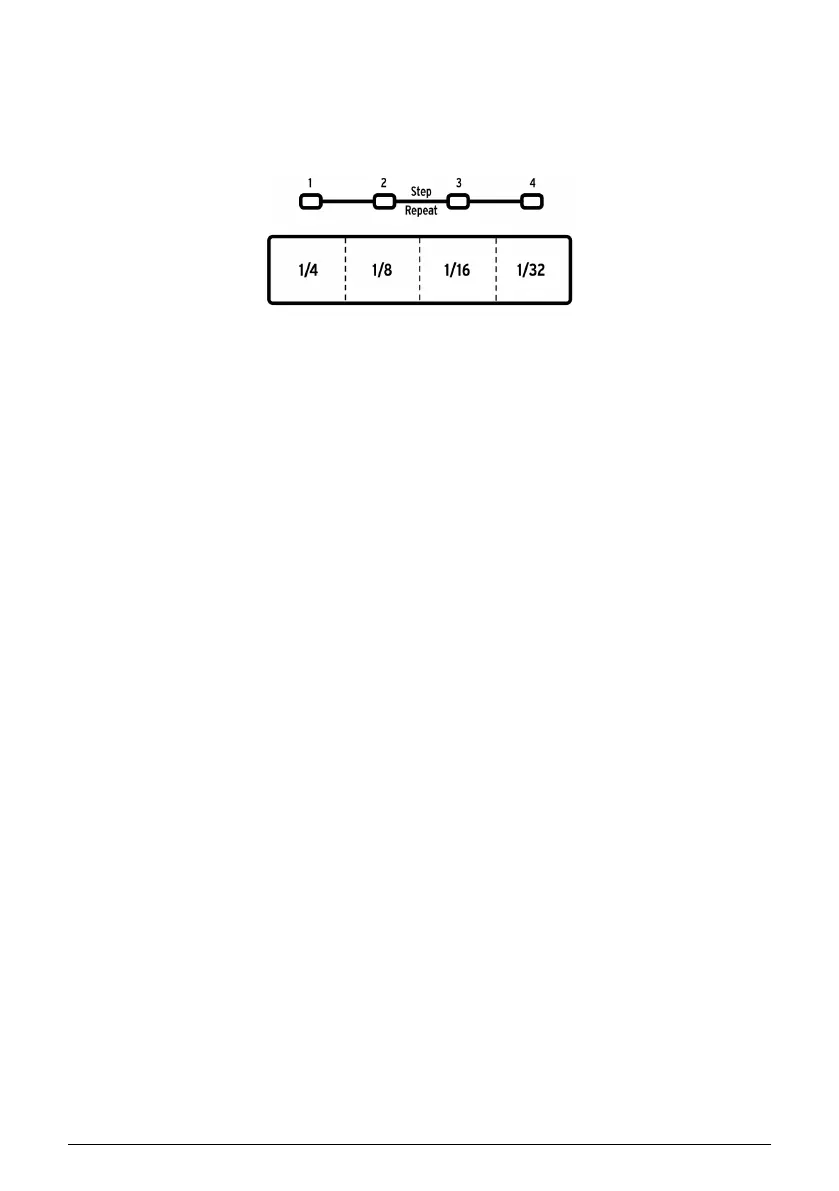
1.2.11. Roller/Looper/Step Repeat
The Touch strip is used both for recording and playback, and adds an exciting level of
spontaneity to music creation and live performance. It can be configured to generate drum
rolls, loop sections of a song or pattern, and enter rhythmic subdivisions for an event in Step
edit mode.
There's a Step button that will toggle the Touch strip between Roller and Looper functionality.
To switch between these modes, hold the Shift button and press Step button 9. You'll know
right away which mode is active when you press the Shift button: if Step button 9 is lit, the
Touch strip is in Roller mode. If it is not lit, it is in Looper mode. This parameter [p.97] can be
set in the MIDI Control Center [p.70] also.
For details on using the Touch strip as a Looper or a Roller, click here [p.26]. There's additional
information about the Roller [p.41] in the Pattern Mode chapter [p.38]. Step Repeat is covered
in two places in the manual: There's a section in the Pattern Mode chapter [p.46] and also
a section in the MIDI Control Center chapter [p.89], because the Step Repeat value can be
edited for each step within a pattern there also.
The Touch strip
Arturia - User Manual DrumBrute Impact - Overview 12











 To Next Page