Aruba 7030 Mobility Controller | Installation Guide Installation | 19
Installation Steps
To install a 7030 controller into a two-post 19-inch Telco rack:
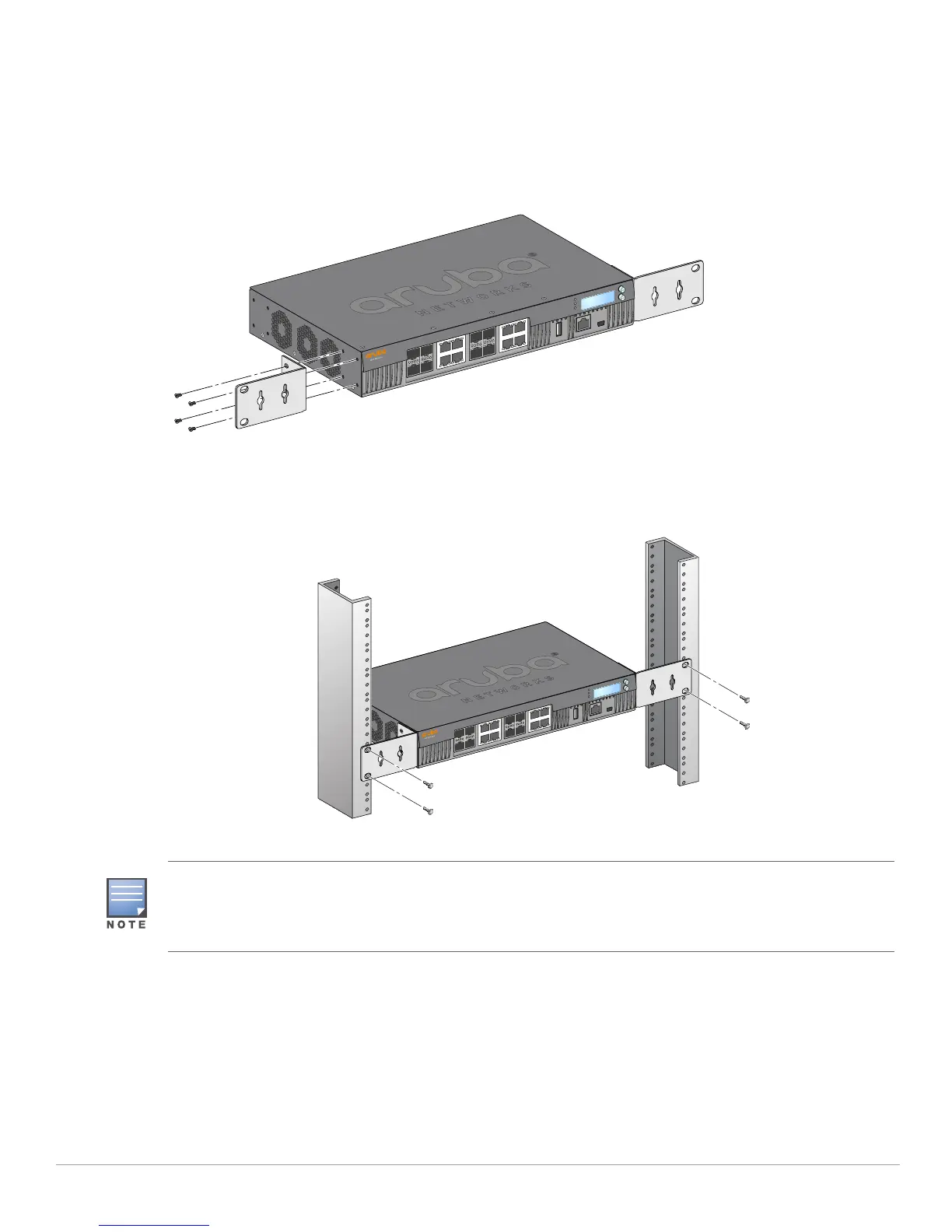
1. Place the mounting bracket over the mounting holes on the controller (see Figure 7).
2. Secure the bracket to the controller using the eight screws for the mount bracket (four per bracket) and
a suitable screwdriver.
Figure 1 Rack Mount Brackets
3. Mount the controller within your organization’s rack system using the four screws for system rack
mount (two per bracket) and a suitable screwdriver (see Figure 8).
Figure 2 Rack Mount Installation
Leave a minimum of 10 cm (4 inches) of space on the left and right side of the controller for proper air flow and
ventilation.
Leave additional space in the front and the back of the controller to access network cables, LED status
indicators, and power cord.



 To Next Page