22 | Installation Aruba 7030 Mobility Controller | Installation Guide
Disconnecting the AC Power Cord
To disconnect the AC power cord from the 7030 controller:
1. Lift the power cord retaining clip off the AC power cord.
2. Pull the AC power cord from the power supply module.
3. The 7030 controller is now turned Off.
Installing an SFP
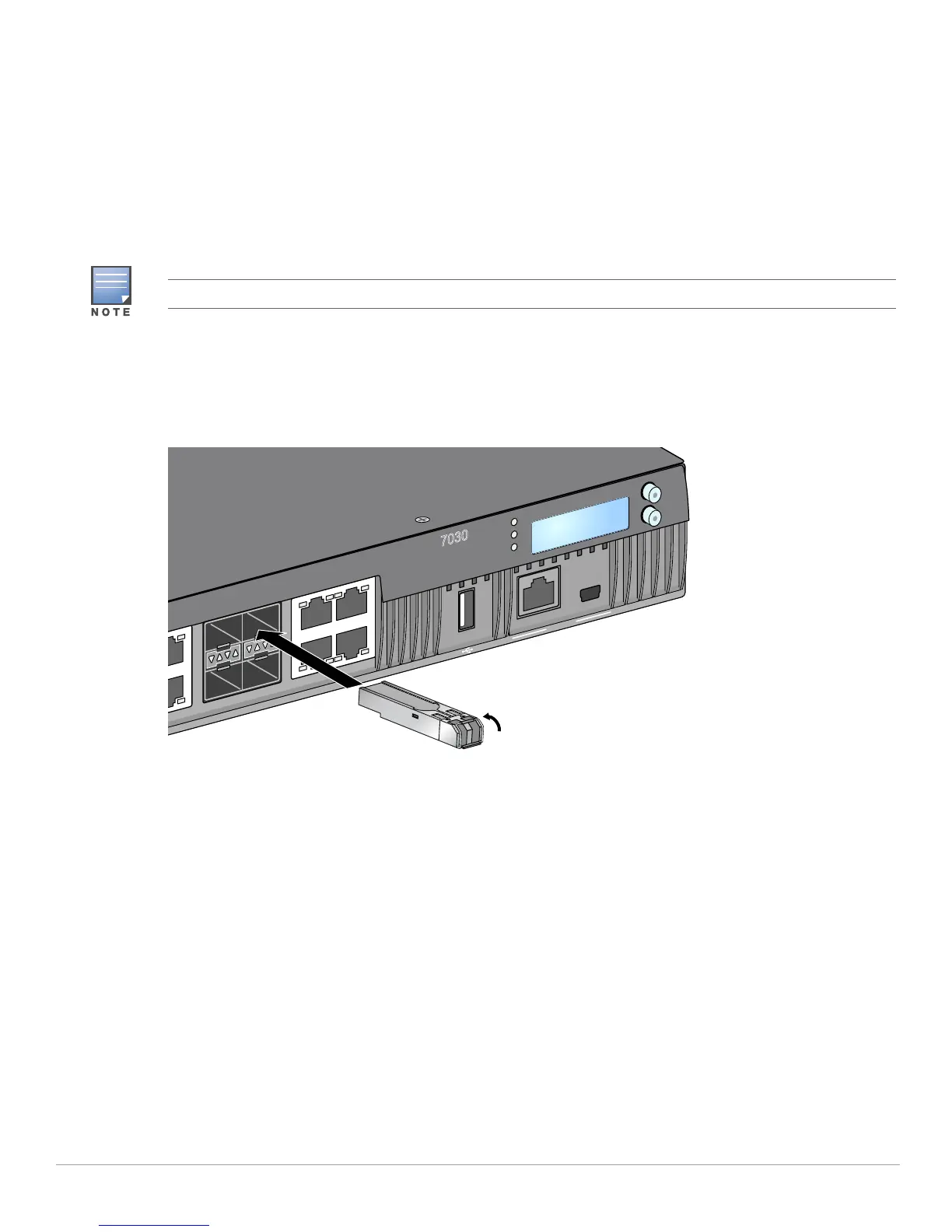
To install an SFP module into the 7030:
1. Slide the SFP module into a dual media port until a connection is made and an audible click is heard (see
Figure 12).
Figure 6 Installing an SFP
Removing an SFP
To remove an SFP module:
1. Open and release the latch on the SFP module.
2. Pull and remove the module from the port.
Connecting an LC Fiber Optic Cable
To connect an LC fiber optic cable into an SFP module:
1. Clean the fiber optic cable connector before inserting it into the SFP module.
2. Insert the fiber optic cable into the SFP module. Ensure that the latch on the cable faces the top of the
SFP module.
3. Slide the cable into place until a connection is made and an audible click is heard.
Use standard ESD precautions when installing or removing an SFP.
MENU
ENTER
7030
POWER
STATUS
PEERED
7
5
7
6
4
6
STAT
ACT
LINK/
STAT
CONSOLE
5
4
ACT
LINK/
STAT



 To Next Page