20 | Installation Aruba 7030 Mobility Controller | Installation Guide
Table or Shelf Installation
Required Tools and Equipment
Rubber Feet (included in the kit)
Installation Steps
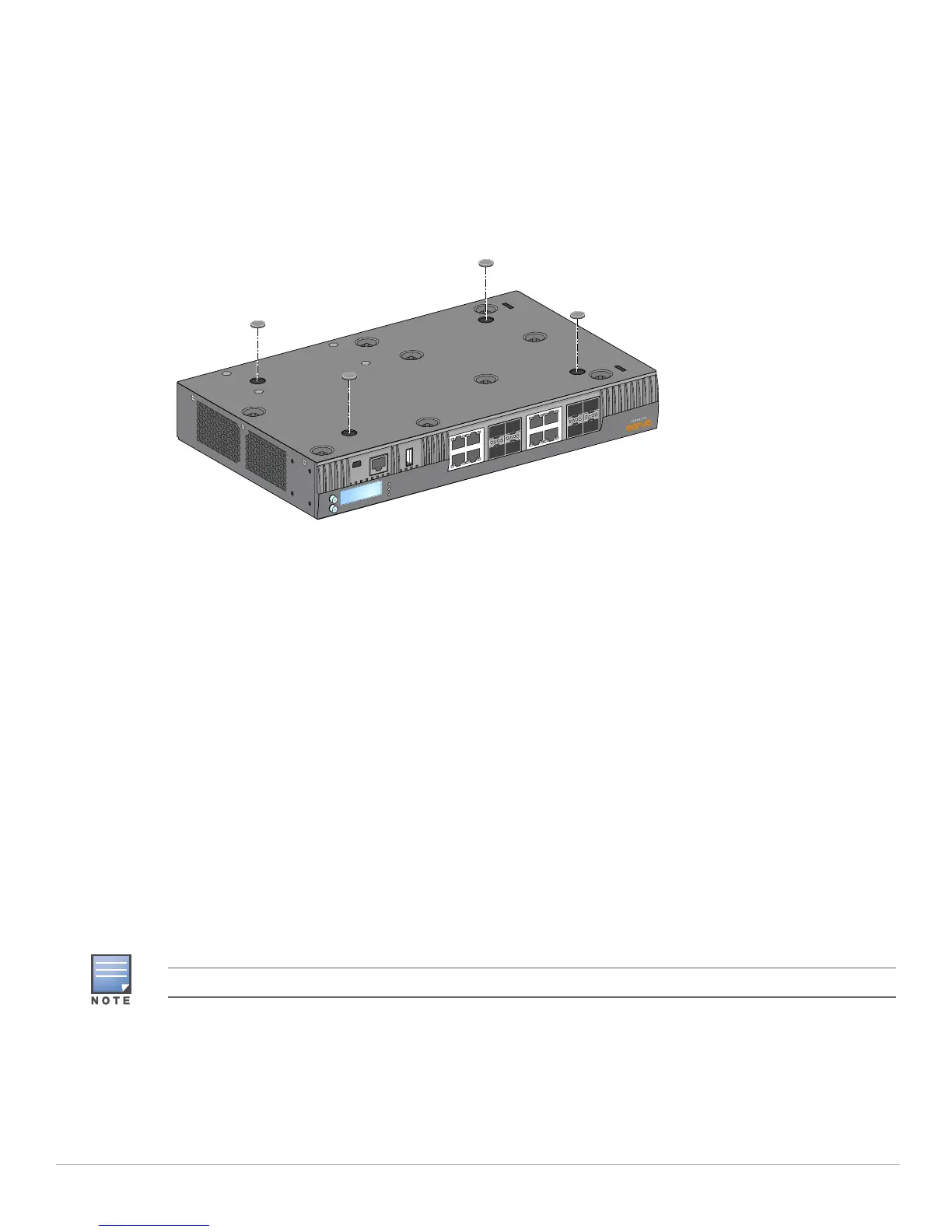
1. Attach the rubber feet to the bottom of the controller (see Figure 9).
Figure 3 Attaching Rubber Feet
2. Place the controller in the location you have chosen.
Wall Mounting
The mounting brackets can also be used for wall mounting the 7030 controller.
Required Tools and Equipment
The following tools and equipment are required for installing a 7030 controller on a wall:
Mounting Brackets (2x) (included in the kit)
Screws for mounting bracket (x8): M3 x 6.5 mm Phillips Flat Head Screws (included in the kit)
Wall Anchors: Optional accessory (not included in the kit)
Wall Mounting Screws: The type of screw depends on the installation surface (not included in the kit)
Suitable Screwdrivers for all screw types (not included in the kit)
Installation Steps
To install a 7030 controller on a wall:
1. Fasten the mounting brackets over the mounting holes on the sides of the 7030 controller using the eight
screws for mounting bracket (four per bracket) and a suitable screwdriver (see Figure 10).
Ensure that the Ethernet ports are facing down when installing the 7030 controller on a wall.



 To Next Page