8 | 7030 Mobility Controller Aruba 7030 Mobility Controller | Installation Guide
7030 Components
This section introduces the component and its location in the Aruba 7030 controller.
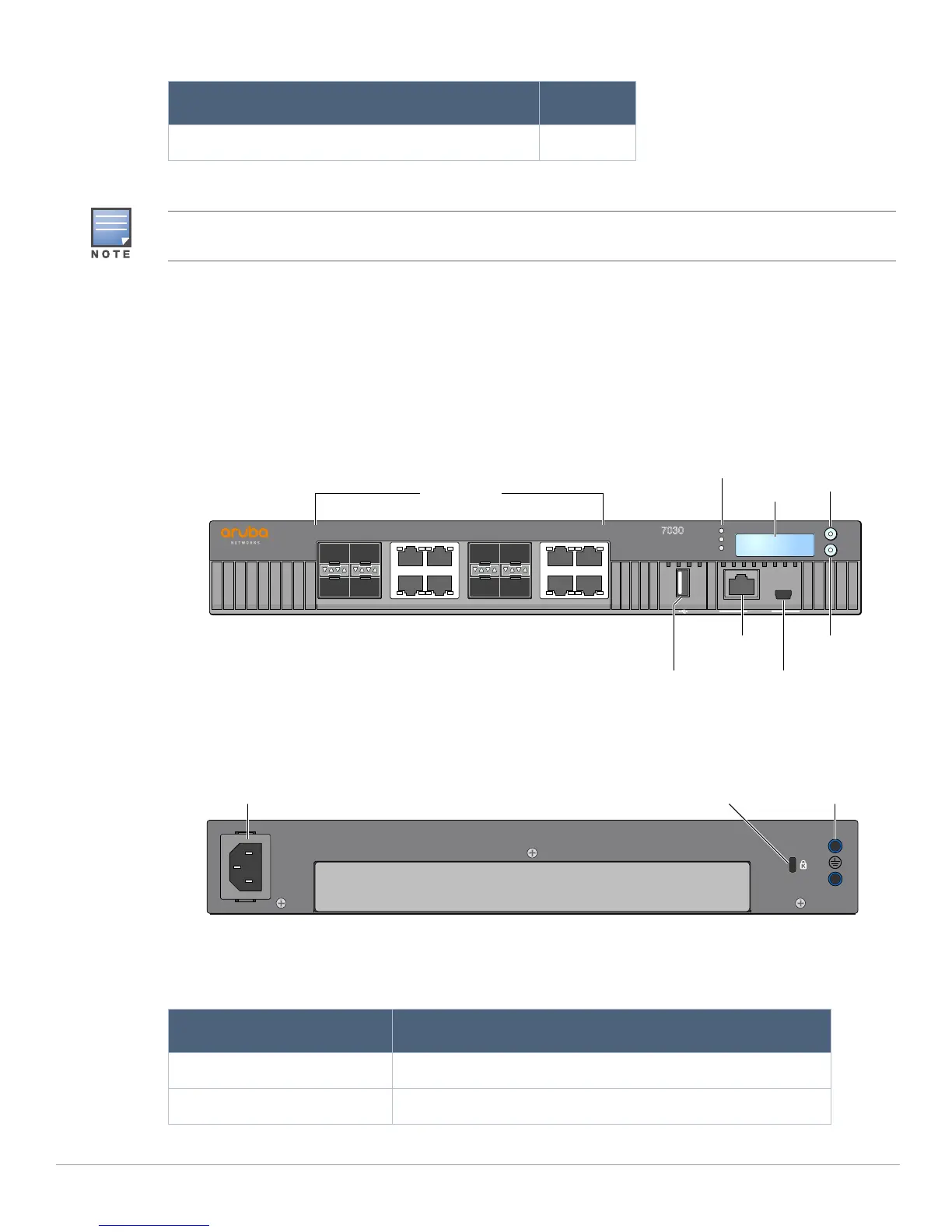
Figure 1 shows the front panel of the Aruba 7030 controller and Figure 2 shows the back panel of the Aruba
7030 controller.
Figure 1 Front Panel of the Aruba 7030 Controller
Figure 2 Back Panel of the Aruba 7030 Controller
The following table lists the components on the Aruba 7030 controller:
Aruba Document Pointer (Printed) 1
Table 2 Package Contents (Continued)
Item Quantity
Optional accessories are available for use with the Aruba 7030 controllerand are sold separately. Contact your
Aruba sales representative for details and assistance.
Table 3 Aruba 7030 Controller Components
Component Description
Access Ports 8 x dual media ports (10/100/1000BASE-T and 1000BASE-X)
Power, Status, and Peered LEDs Used for basic monitoring of the Aruba 7030 controller
7030
POWER
MENU
ENTER
STATUS
PEERED
13 13 57 57
02 02 46 46
STATACT
LINK/
STATACT
LINK/
STATACT
LINK/
STATACT
LINK/
CONSOLE
LCDAccess ports
Menu
button
Enter
button
Console
port
Mini USB
console port
USB
interface
Power, Status,
and Peered LEDs
Kensington
lock
AC in
Grounding
point



 To Next Page