26 | AP-85 Series Installation Aruba AP-85 Outdoor Access Point Series | Installation Guide
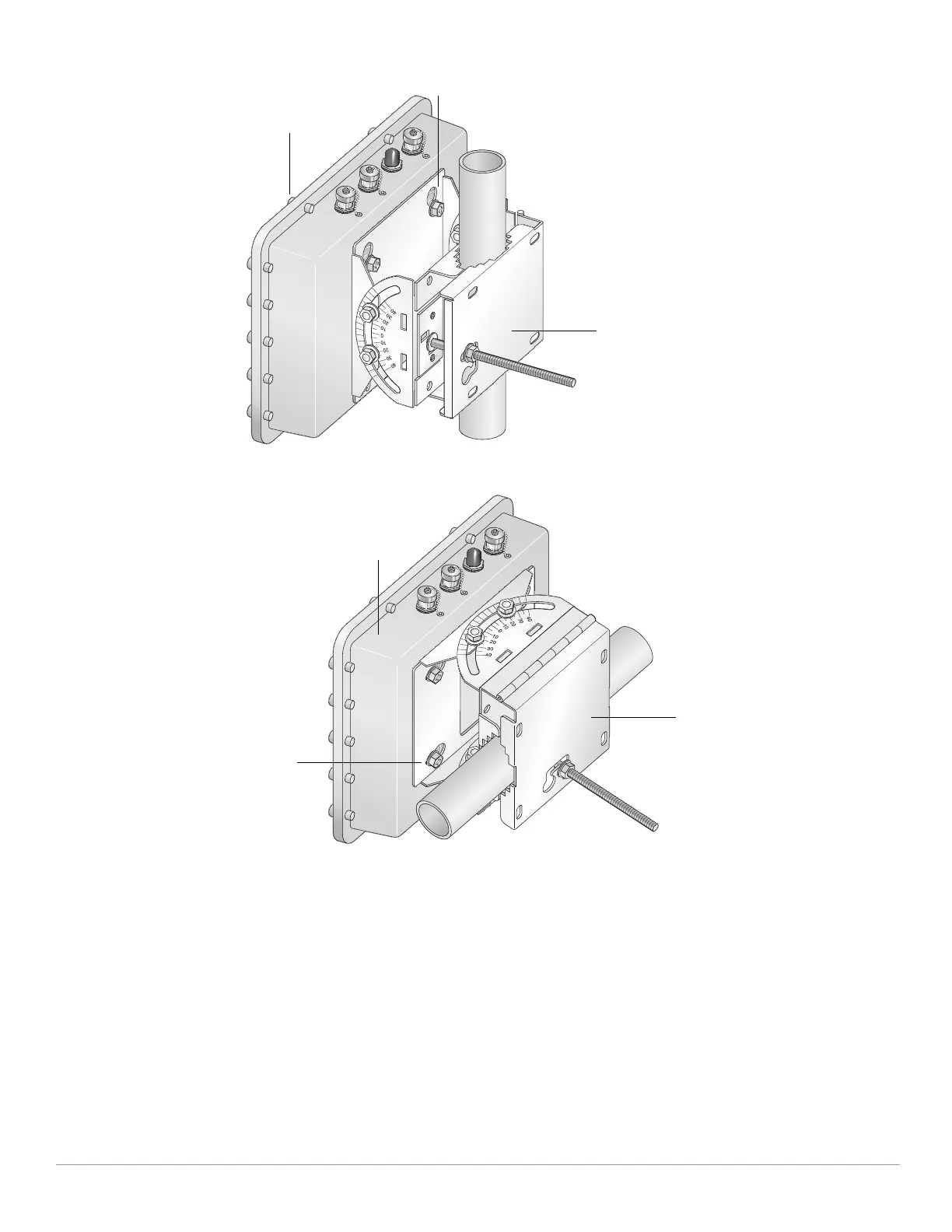
Figure 15 Vertical Pole Mount Position (1.5-inch to 3.5-inch Diameter Pole)
Figure 16 Horizontal Pole Mount Position (1.5-inch to 3.5-inch Diameter Pole)
Pole Mounting the AP-85 (Pole Diameter Greater than 3.5-inches)
To attach an AP-85 to a pole with a diameter greater than 3.5 inches:
1. Attach the mounting plate to the pole using outdoor rated straps (see Figure 17). Outdoor rated straps are not included
with the unit and must be purchased separately.
2. Seat the AP-85 into the four keyholes on the mounting plate and tighten down the four mounting bolts (M8 bolts) to
secure the AP-85 in place (see Figure 17). The mounting plate should rest between the captive flat washer on each
mounting bolt and the rear of the AP-85.
Secured
Mounting Bracket
Tightened Mounting Bolts
AP-85
Secured
Mounting Bracket
Tightened Mounting
Bolts
AP-85



 To Next Page