9
7.2 Line in Mode
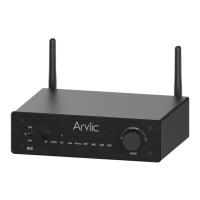
You can connect any analog device with line out to B50SE. You will need to switch to Line in mode with
the Mode button on the device, use the remote controller or in the Go Control APP. The Line LED will
turn on when B50 is Line in mode.
7.3 Optical in Mode
You can connect any device with digital optical output to B50SE. You can press the Mode button on the
device, use the remote controller or in the Go Control APP to switch to Optical in mode. The OPT LED
will turn on when you in Optical in mode.


 To Next Page