12 Chapter 3 operation
Series 230 Automatic Transfer Switch C1000 Intelligent Controller User Manual
Chapter 3 Operation
3.1 Panel and Indicator
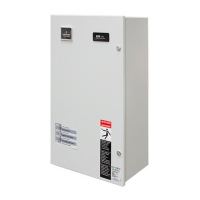
See Figure 3-1 for the controller panel and see Table 3-1 for the indicator instruction.
Figure 3-1 C1000 Controller Panel
Table 3-1 Indicator Description
Operation status Indicator
(green)
This light indicates the operating status of the Controller. When it is on or flashing, it indicates
normal operation; and when it is off, it indicates over voltage setting operation or abnormal
operation.
When it blinks rapidly it indicates that the Controller is running in manual mode. When it
blinks slowly it indicates that the Controller is running in remote mode.
Alarm Indicator
(red)
When in Source I Priority Mode, the alarm indicator will be on when the Controller detects
such abnormalities as under-
voltage, overvoltage, phase loss and power failure on Source I.
It ignores the status of Source II.
When in the No-Source Priority Mode or the Remote Mode, the alarm will be on when the
Controller detects such abnormalities as under-voltage, overvoltage, phase loss and power
failure on Source I and Source II.
Otherwise, the alarm will flash during any critical failure, such as switch operation failure or
fire alarm.
Source I available indicator
(green)
When it is on, it indicates normal operation of Source I. When it is off, it indicates that Source
I is not connected or loss of power.
Source II available indicator
(green)
When it is on, it indicates normal operation of Source II. When it is off, it indicates that Source
II is not connected or loss of power.
Source I Accepted indicator
(green)
When it is on, it indicates that Source I is connected. When it is off, it indicates that Source I
is in the process of switching off or not connected. When is is flashing, it indicates that in
manual mode or over voltage setting mode.
Source II Accepted indicator
(green)
When it is on, it indicates that Source II is connected. When it is off, it indicates that Source
II is in the process of switching off or not connected. When is is flashing, it indicates that in
manual mode or over voltage setting mode.
Center-off Position indicator
(yellow)
When it is on, it indicates that the load is in OFF status. When it is off, it indicates that the
load is not in OFF status and it is supplied by either Source I or Source II. When is is flashing,
it indicates that in manual mode.
Push Button
DIP Switch
Position I to Position II Time Delay Setting
Position II to Position I Time Delay Setting
Alarm Indicator
Operation Status Indicator
Source II available Indicator
Source I available Indicator
Center-off Position Indicator
Source I accepted Indicator
Source II accepted Indicator
Communication Port for setting (for engineer only)



 To Next Page