English
30
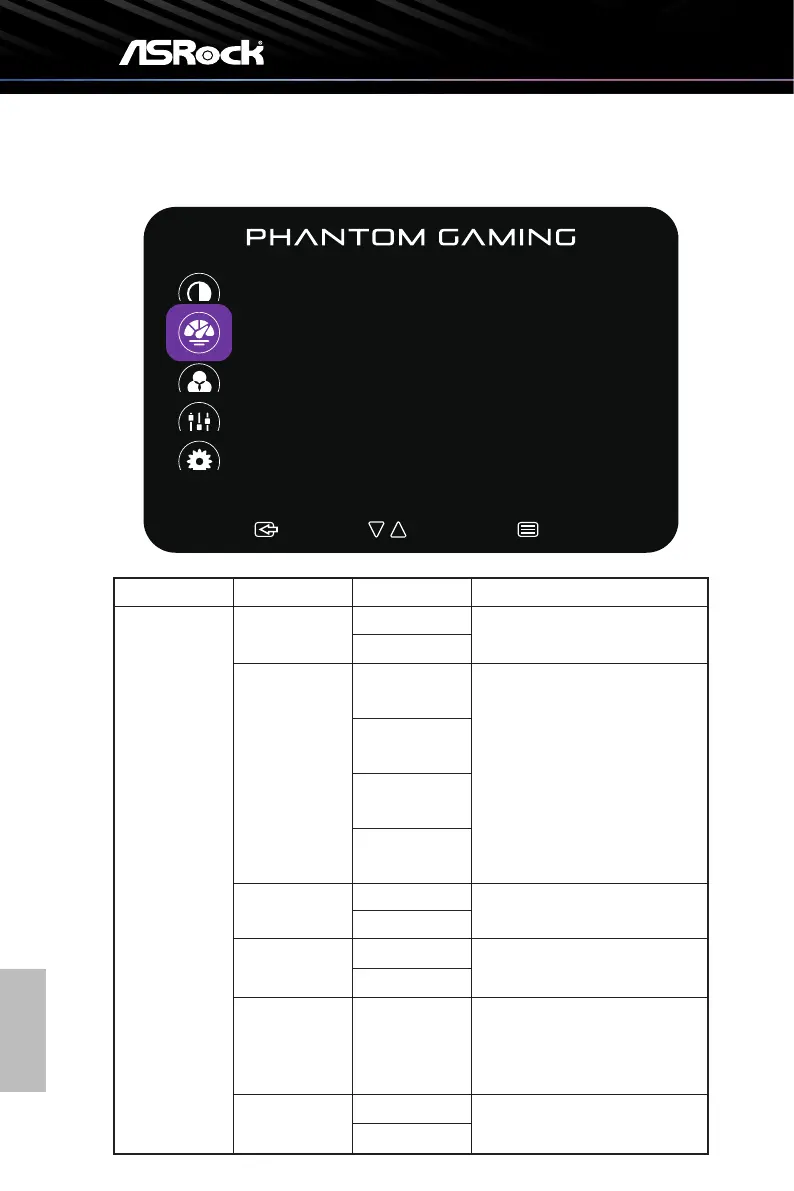
Funcon: Image Setup
:Exit :Select:Move
Image Setup
Image Ratio
OD
FreeSync Premium
HDR
Sharpness
Dark Boost
Full
Medium
ON
Auto
5
Off
Main Menu Item Sub Menu Item Sub Menu Description
Image Setup Image Ratio Full Selects Image Aspect Ratio.
Aspect
OD Low Boosts response time with Over
Drive technology, offering three
levels:
• Low: Gentle enhancement for
minimal blur.
• Medium: Balanced speed for
smooth visuals.
• High: Maximum acceleration
for fast-moving scenes.
Medium
High
Off
FreeSync
Premium
On FreeSync Premium On or Off
Off
HDR Auto HDR Auto or Off
Off
Sharpness 0-5 Improves the clarity of the
displayed images outline and
produces high-quality visuals on
the screen.
Dark Boost On Enhances dark tones for clearer
visibility in low-light scenes
Off



 To Next Page