EasyManua.ls Logo

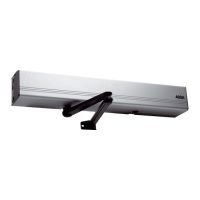
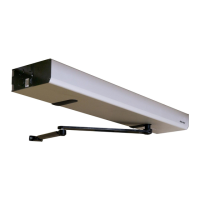
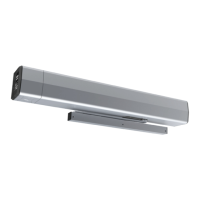
Assa Abloy SW300 - User Manual

Assa Abloy SW300
94 pages
Print Icon
To Next Page IconTo Next Page
Loading...
Original instructions
Installation and Service Manual
Swing Door Operator
ASSA ABLOY SW300, SW150
Entrance Systems

Table of Contents

Questions and Answers

  • R
    Robert BellAug 18, 2025
    What to do if my Assa Abloy Garage Door Opener doesn't open?
    • R
      Roberta StarkAug 18, 2025
      If your Assa Abloy Garage Door Opener isn't opening, there might be a few reasons. First, check if the control switch is set to OFF and change the setting if needed. Second, ensure that the mains power is available and the fuse in the building is working. Third, the activation unit may not be functioning, in this case you should strap impulse inputs. Finally, presence detection might be activated, so make sure there are no objects in the detection zone.
  • N
    Norma PayneAug 20, 2025
    What to do if Assa Abloy Garage Door Opener motor starts but the door doesn't open?
    • B
      Brad PerkinsAug 21, 2025
      If the motor of your Assa Abloy Garage Door Opener starts but the door doesn't open, there are several potential causes. Check if the mechanical lock is locked and unlock it. Ensure nothing is jammed beneath the door and remove any obstructions. See if the electric striking plate is binding and select lock release. The striking may need adjustment. Also, the arm system might have come loose, so tighten it following the installation steps.
  • J
    Jose RodriguezAug 23, 2025
    What does it mean when the LED indicates 'Battery defective' on my Assa Abloy SW300?
    • M
      Mrs. Kelly WarrenAug 23, 2025
      To address the 'LED indicates Battery defective' error on your Assa Abloy Garage Door Opener, replace the battery if you're operating with electrical mains. If the Battery Monitoring DIP switch is ON, a reset might be needed after changing the batteries.
  • M
    michaelsmithAug 26, 2025
    Why won't my Assa Abloy SW300 close?
    • M
      Mrs. Kristin AndrewsAug 26, 2025
      If your Assa Abloy Garage Door Opener isn't closing, there could be a few reasons. Check if the control switch is set to OPEN and change the setting. Also, a presence impulse might be activated, so remove any objects in the detection zone. Finally, something might be jammed beneath the door, so remove any obstructions.
  • L
    Loretta MeyerAug 28, 2025
    How to fix an 'Encoder error' on my Assa Abloy SW300?
    • J
      jose82Aug 28, 2025
      To address the 'LED indicates Encoder error' on your Assa Abloy Garage Door Opener, check the encoder cable. Open and close the door manually, then check the automatic function. If the operator is still not functioning, replace the drive unit. Also check the encoder cable.
  • M
    Mr. Jeffrey BarnettAug 30, 2025
    What does it mean when the LED indicates '+ 24 V DC external error' on my Assa Abloy SW300 Garage Door Opener?
    • E
      Elizabeth HernandezAug 30, 2025
      To address the '+ 24 V DC external error' indicated by the LED on your Assa Abloy Garage Door Opener, check for a short circuit.
  • T
    Todd ToddSep 1, 2025
    Why is my Assa Abloy Garage Door Opener creeping open during power assist?
    • D
      Dustin AustinSep 1, 2025
      If your Assa Abloy Garage Door Opener is creeping towards open during power assist, the cam jumper might be set incorrectly. Check the jumper for symmetric cam on the main board.
  • A
    Anne SmithSep 4, 2025
    What to do if the LED indicates 'Control unit or Transmission unit defect' on my Assa Abloy SW300 Garage Door Opener?
    • B
      brianstokesSep 4, 2025
      To address the 'Control unit or Transmission unit defect' indicated by the LED on your Assa Abloy Garage Door Opener, replace the control unit or the transmission unit.
  • C
    cburnettSep 6, 2025
    How to resolve 'kill impulse is active' error on Assa Abloy Garage Door Opener?
    • B
      Brittany OliverSep 6, 2025
      To address the 'LED indicates kill impulse is active' error on your Assa Abloy Garage Door Opener, perform a kill reset, reset the kill switch, or reset the fire alarm.
  • N
    Nicole JacobsonSep 8, 2025
    What does it mean when the LED indicates 'Settings have been made that requires a new learn or opening angle out of spec (80-110°)' on my Assa Abloy SW300?
    • S
      Scott RamirezSep 8, 2025
      To address the issue where the 'LED indicates Settings have been made that requires a new learn or opening angle out of spec (80-110°)' on your Assa Abloy Garage Door Opener, perform a new learn or adjust the opening angle to be within the specified range.

Summary

Revision History

Safe Operation Guidelines

Important Information

Intended Use and Safety

Defines the product's intended application and essential safety precautions for users.

Electronic and Environmental Requirements

Details on managing electronic interference and environmental considerations for the operator.

Technical Specifications

Door Weight and Width Limits

Specifies permitted door weights and widths for SW300 and SW150 models.

Operator Functionality

Opening, Closing, and Control Functions

Details operational principles, control switch functions, and basic CU features.

Advanced Operator Functions

Covers extended torque, power assist, push-and-go, and presence detection features.

Extension Unit and Special Functions

Explains functions on EXU-SI/SA, including KILL/FIRE, locks, and nurse/bed functionality.

Product Models and Part Identification

Operator Models and Configurations

Describes single, double, and double egress operator models.

Component Identification

Visual guide to identifying individual operator system components.

Arm Systems Installation

PUSH Arm System Installation

Step-by-step guide for installing the PUSH arm system on doors.

PULL Arm System Installation

Detailed instructions for installing the PULL arm system on doors.

Specialized Arm Systems

Information on double acting kits and drive shaft extension kits.

Options and Accessories

Control Switches and Cables

Details on control switches, sync cables, and coordination units.

Safety and Power Options

Covers battery backup, closing time boards, and fire kits.

Pre-Installation Procedures

General Safety and Handling Tips

Essential safety advice and general guidelines before starting installation.

Installation Examples and Fastening

Illustrates installation scenarios and specifies wall fastening requirements.

Required Installation Tools

Lists all necessary tools for the mechanical and electrical installation of the operator.

Mechanical Installation

PUSH Arm System Mechanical Installation

Comprehensive guide for installing the PUSH arm system, including measurements.

PULL Arm System Mechanical Installation

Comprehensive guide for installing the PULL arm system, including measurements.

Inverse and Coordination Unit Installation

Instructions for inverse installations and coordination unit setup.

Electrical Connection

Mains and Control Unit Wiring

Details on connecting mains supply and various control units like CU-300.

Extension Unit Wiring and Double Doors

Explains EXU-SI/SA wiring and double door synchronization setup.

Sensor and Fire Door Device Connections

Guide for connecting sensor cables and fire door reset/indication devices.

Start-up and Calibration

Spring Pre-Tension and Micro Switch Adjustment

Adjusting spring pre-tension and micro switch for proper door operation.

Door Stop and Auto-Learn Setup

Steps for adjusting the door stop and performing the auto-learn function for calibration.

General Adjustments and Activation

Covers hold open time, speed settings, and connecting activation units.

Cover and Signage

Cover Fitting and Signage

Instructions for fitting the operator cover and applying required door signage.

Advanced Settings

Back-Check and Latch-Check Settings

Procedures for advanced back-check/latch-check setup and reverting to default values.

Parameter and Classification Configuration

Guide to changing parameter groups and classification levels for advanced control.

Presence Detection and Interlock Settings

Setting up overhead presence detection and interlock functions for enhanced safety.

Installation Adjustments and Guides

Safety Devices and Timing Adjustments

Guidance on safety devices and determining correct opening/closing times.

Door Weight Calculation

Diagrams to help calculate door weight based on dimensions and glass thickness.

Troubleshooting

Operational Faults and Remedies

Lists common faults, their possible causes, and recommended remedies for the operator.

Error Code Reference

Explanation of LED flash patterns indicating specific errors and their solutions.

Service and Maintenance Schedule

Assa Abloy SW300 Specifications

General IconGeneral
BrandASSA ABLOY
ModelSW300
Closing Speed10°/s
Hold-Open TimeAdjustable
Operating Temperature-20°C to +55°C

Related product manuals