EasyManua.ls Logo

Assa Abloy SW100 - User Manual

Assa Abloy SW100
68 pages
Print Icon
To Next Page IconTo Next Page
Loading...
Original instructions
Installation and Service Manual
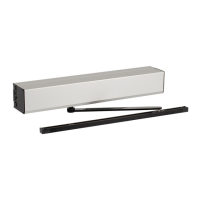
Swing Door Operator
ASSA ABLOY SW100 EU
Entrance Systems

Table of Contents

Questions and Answers

  • L
    Lauren RichardsJul 27, 2025
    Why doesn't my Assa Abloy Garage Door Opener open?
    • M
      Molly MooreJul 27, 2025
      If the Assa Abloy Garage Door Opener door isn't opening, several factors could be at play. First, ensure the control switch isn't set to OFF; if it is, change the setting. Check that the mains are active by inspecting the mains switch. If the activation unit isn't working, strap the impulse inputs. Also, verify that presence detection isn't activated by checking for obstructions in the detection zone. Deactivate KILL if it's engaged, and ensure the potentiometer SPTE is turned to 0°.
  • A
    acostasusanJul 31, 2025
    What to do if my Assa Abloy Garage Door Opener won't close?
    • M
      Mark AdamsJul 31, 2025
      If the Assa Abloy Garage Door Opener door isn't closing, make sure the control switch isn't set to HOLD; if it is, change the setting. Check for any objects activating the presence impulse in the detection zone and remove them. Also, ensure that nothing is jammed beneath the door, and if there is, remove the object.
  • R
    rileycarolynAug 9, 2025
    Why does the motor start but the Assa Abloy Garage Door Opener doesn't move?
    • B
      brian07Aug 9, 2025
      If the motor of your Assa Abloy Garage Door Opener starts but the door doesn't move, it could be due to a few reasons. Check if the mechanical lock is engaged and, if so, unlock it. Ensure nothing is obstructing the door's path; if something is, remove it. The electric striking plate might be binding, so select lock release. Also, the arm system might have come loose. To fix this, turn the potentiometer SPTE until the door-stop hits the stop-block, put the door in the required open position, tighten the arm system, and then turn SPTE to 0°.
  • C
    Carolyn EspinozaAug 13, 2025
    What does it mean if the ERROR LED is on for Assa Abloy Garage Door Opener?
    • M
      Matthew FischerAug 13, 2025
      If the ERROR LED on the Assa Abloy Garage Door Opener control unit is illuminated, check for a short circuit or a broken monitored sensor.
  • J
    Jill Contreras DDSAug 17, 2025
    How to reset the spring pre-tension on my Assa Abloy Garage Door Opener?
    • F
      fernandezmelissaAug 17, 2025
      To address unknown spring pre-tension in your Assa Abloy Garage Door Opener due to too many adjustments: a) Turn up the potentiometer SPTE until it is possible to loosen the door stop. b) Remove the door stop and the arm system. c) Unplug the mains and let the spring close. d) Unplug the motor plug. e) Mount the drive arm from the arm system and find the pre-tension by moving back and forth. f) Loosen the arm. g) Connect the motor plug. h) Connect the mains. i) Turn the SPTE pot to 210° and wait until the spindle stops turning. j) Mount the door stop against the closing stop block. k) Turn down SPTE to 0º - operator is now factory set.
  • C
    Caleb CarsonAug 21, 2025
    What does an extinguished LED mean on my Assa Abloy Garage Door Opener?
    • P
      pcamposAug 22, 2025
      If the LED is extinguished on your Assa Abloy Garage Door Opener, indicating no mains power, replace the battery.
  • A
    Andrea HoodNov 4, 2025
    Why is the LED flashing on my Assa Abloy Garage Door Opener?
    • E
      Edward JohnsonNov 4, 2025
      If the LED on your Assa Abloy Garage Door Opener is flashing, it indicates the operator is out of function due to several potential issues. It could be caused by a +24 V DC external error or a sensor monitoring error, so check for a short circuit or broken monitored sensor. The battery might be defective, so replace it. The control unit itself could be defective, requiring replacement. An encoder error could also be the cause; check the encoder cable, try opening and closing the door manually, and then test the automatic function. If it persists, replace the drive unit. A defective locking device could be the problem; check for short circuits. The EXU-SI board might be defective, requiring replacement. If it's a double door, the sync cable might not be connected or could be defective, so c...

Summary

Instructions for Safe Operation

Important Information and Requirements

3.2 Safety Precautions

Outlines necessary safety measures for installation and operation.

Technical Specifications

How the ASSA ABLOY SW100 Works

Pre-installation Guidance

8.1 General Installation Guidance

Covers safety, door handing, examples, fastening, tools, and double doors.

Mechanical Installation

9.1 Operator with PUSH Arm System

Step-by-step guide for installing the PUSH arm system.

9.2 Operator with PULL Arm System

Step-by-step guide for installing the PULL arm system.

Electrical Connection

10.1 Mains Connection

Details the procedure for connecting the main power supply.

10.2 Control Units and Extensions

Describes CU-ESD, arm selection, and EXU-SI/SA extension units.

Start-up and Initial Setup

11.1 Adjusting the Door Stop

Details how to adjust the door stop for proper operation.

11.3 Auto-learn Procedure

Describes the auto-learn procedure for setting parameters, including single/double doors.

11.4 General Adjustments

Outlines general adjustments for hold open time and speeds.

11.5 Connection of Activation Units and Accessories

Explains how to connect various activation units and accessories.

Advanced Settings and Configuration

14.3 Changing Parameter Groups

Details how to change parameter groups for advanced settings.

Spring Pre-tension Adjustment (SPTE)

Installation and Adjustments

Troubleshooting Common Issues

17.1 Error Indication

Explains how to interpret error codes and LED indications.

Service and Maintenance

Assa Abloy SW100 Specifications

General IconGeneral
ModelSW100
BrandAssa Abloy
Hold-open forceAdjustable
Power supply100-240 VAC, 50/60 Hz
Operating temperature-20°C to +50°C
Max. door weight100 kg
TechnologyElectromechanical
InstallationSurface mounted
ComplianceEN 16005
Power consumption100 W

Related product manuals