8 IP setting for transmission and reception mode
Clicking on the "IP TX & IP RX" submenu takes you to the settings for the transmission and recep-
tion modes of the U 261. This page provides an overview of the transmission port (IP TX) of the U
261, the general settings of the reception ports (IP RX Common Settings) and the detailed set-
tings of the reception ports (IP RX Channel Settings).
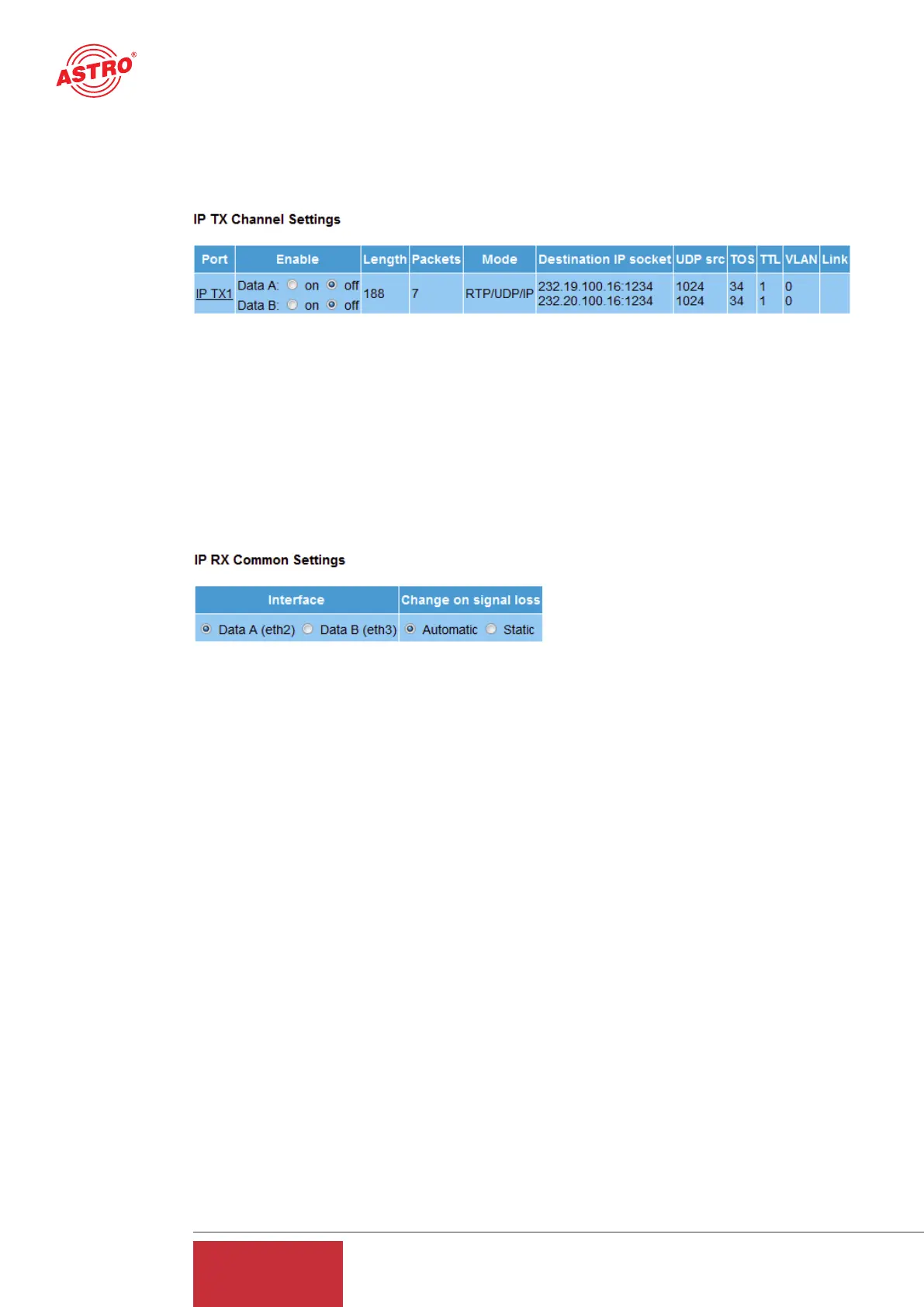
Figure 9: Activating / deactivating the transmission port (IP TX Channel Settings)
The transmission port can be activated and deactivated in this input mask, specifically differentia-
ted according to Data A and Data B interface. If the user has a redundant network infrastructure
(e.g. bidirectional backbone), it may make sense for the data to be transmitted via both data inter-
faces.
For the general settings of the reception port, it is possible to choose between "Data A" and "Data
B" as the active reception interface.
Figure 10: General settings for the reception ports (IP TX Common Settings)
If the network infrastructure is of redundant design and if "Data A" and "Data B" have the same
signal applied to them via a different supply line, the U 261 Gateway can be configured such that
in the event of a signal loss the active data port is automatically switched over ("Automatic" selec-
tion). If this redundant supply line does not exist, the "Static" option should be selected.
In the overview of the reception ports (IP RX Channel Settings), there is merely the option of acti-
vating or deactivating reception ports which have finished being configured. The actual configura-
tion of the reception ports is explained in chapter 10.
12
User Guide
U 261


 To Next Page