The U 261 Gateway is equipped with an optionally engageable FEC. This FEC forms checksums
from a matrix and transmits these checksums to the UDP ports + 2 and + 4 in the same multicast
group. When the data are recovered, these checksums are aligned and errors can be corrected.
Two different modes of FEC are possible: one-dimensional FEC, in which sums are formed only
over the columns, and two-dimensional FEC, in which the sums are formed over columns and
rows.
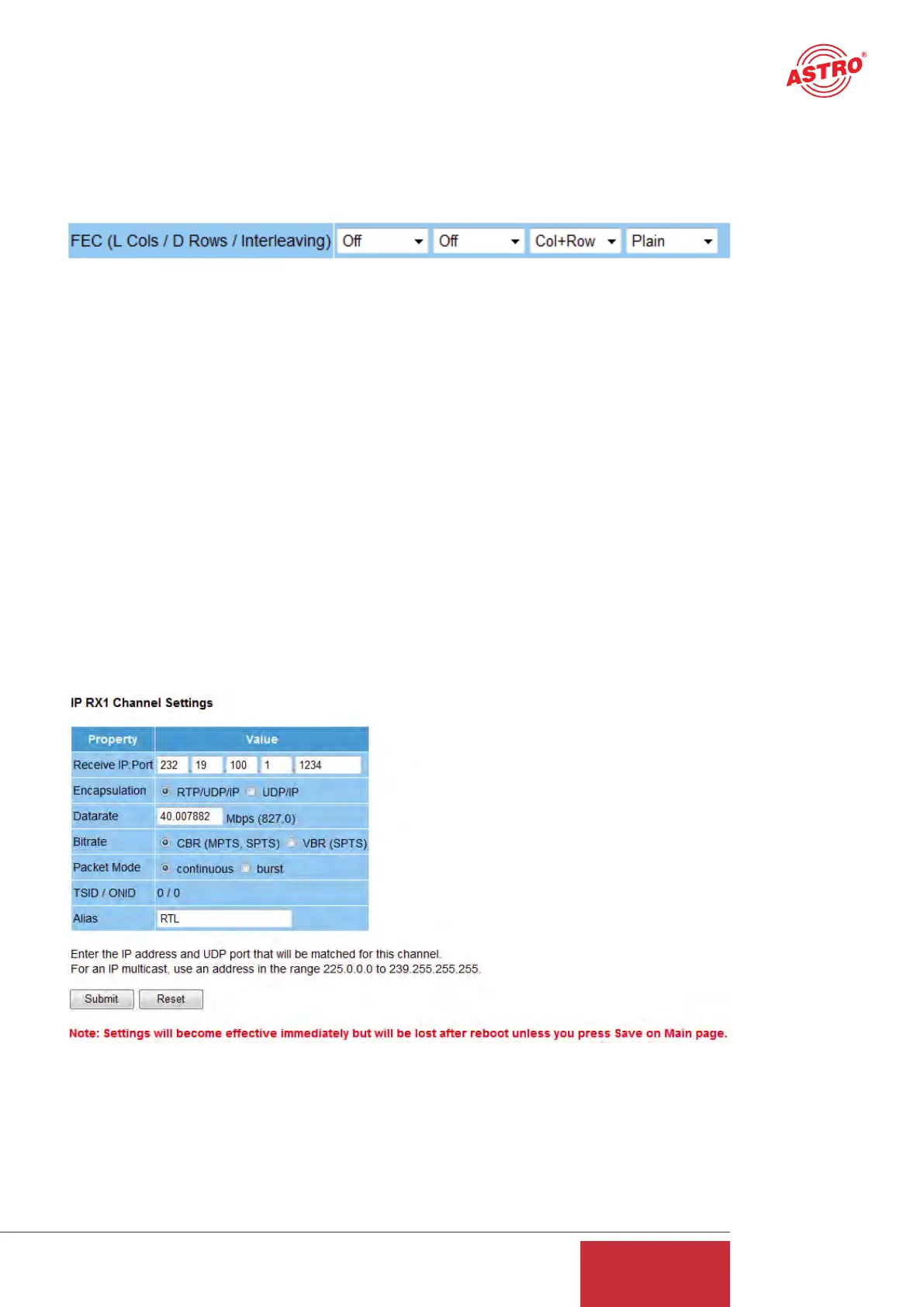
Abbildung 13: Configuring the FEC
The first drop-down selection field is used to stipulate the number of columns in the checking
matrix. There are 1 to 20 columns or the selection "Off" available here. The second drop-down
selection field is used to stipulate the number of rows in the checking matrix. There are 4 to 20
rows or the selection "Off" available here. The third selection field is used to select one-dimensio-
nal or two-dimensional FEC (Col+Row = two-dimensional/Col only = one-dimensional over
columns).
The mode of the FEC can be selected to be "Plain", "Annex A" or "Annex B" in line with ProMpeg
COP3 (SMPTE 2022-1). Please note that plain FEC results in a burst behavior for the data rate,
and hence Annex A and Annex B are preferable. It should be noted that the product of the num-
ber of columns (L) and the number of rows (D) is ≤ 100 (L x D ≤ 100).
10 IP setting for reception ports
Clicking on the "IP RX1-1 - IP RX16" submenu takes you to the IP settings for the desired recep-
tion port.
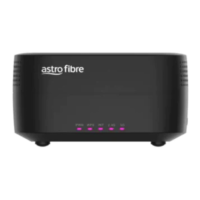
Figure 14: Setting details for the reception port
The "Receive IP:Port" line is used to input the IP address and the UDP port at which the U 261
Gateway needs to receive the data stream.
15
User Guide
U 261


 To Next Page