14 Licensing
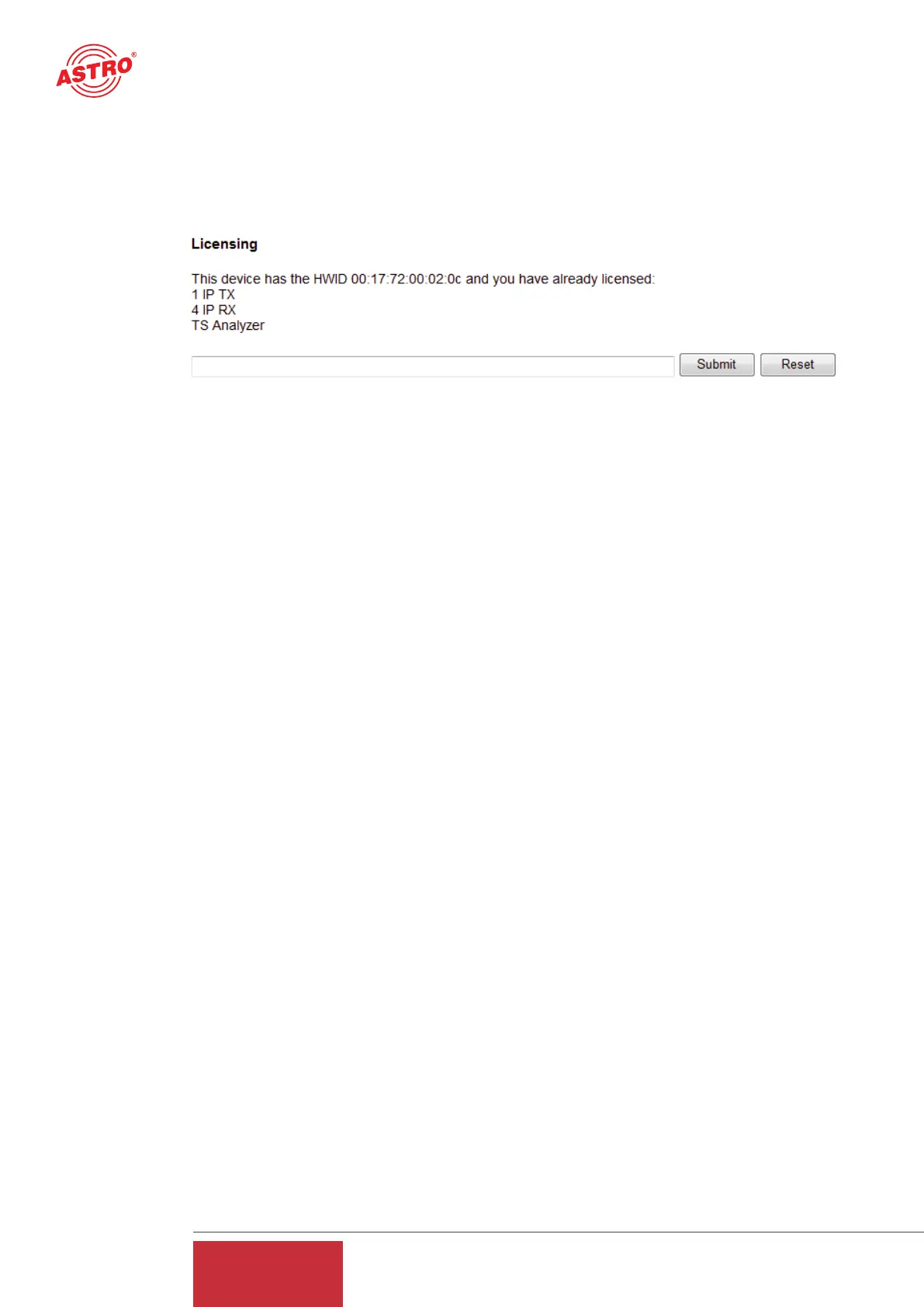
Clicking on the "License" submenu takes you to licensing. The features of the U 261 can be upgra-
ded from the factory-delivered state (1 IP TX & 1 IP RX) through to the full complement of equip-
ment (1 IP TX, 16 IP RX and TS analyzer) by purchasing software licenses.
Figure 18: Input mask for software licenses
A prerequisite for ordering further licenses is provision of the Mac address of the device. The Mac
address can be found either on the sticker on the back of the device (see illustrations on page 3)
or in the Web browser interface. In this respect, the lowest Mac address is the important one.
When the Mac address has been provided, ASTRO will generate the license keys and supply them
by E-mail or on CD.
The format of the license keys is a text document (e.g. Lic001772000222.txt). The key or keys can
be inserted into the input mask using "Copy/Paste", and clicking on the "Submit" button transfers
the license to the U 261 Gateway. If the license is valid, this is confirmed by a message. An inva-
lid license is indicated by an error message.
15 Update
15.1 Update using (T)FTP Server
Clicking on the "Update" submenu takes you to the settings for the U 261 software update. The
"(T)FTP Server address" line is used to input the (T)FTP server address at which the current soft-
ware for the U 261 Gateway is stored.
The "Protocol" line provides the option of selecting "FTP" (File Transfer Protocol) or "TFTP" (Trivi-
al File Transfer Protocol). If the "TFTP" option is chosen, it is not necessary to input the userna-
me and the password.
"Path" is used to input the path on which the U 261 software update was stored. It is necessary to
ensure that the software is stored in the indicated path (preceded and followed by "/"), otherwise
the update will not take place. Furthermore, it must be ensured that any firewall installed permits
the (T)FTP communication. In the "Update" submenu, it is also possible to store the configuration
of the U 261 Gateway on an FTP server, or else to load a configuration into the U 261 Gateway.
Loading a configuration into the U 261 Gateway does not affect the settings of the IP interfaces.
.
20
User Guide
U 261


 To Next Page