11 Configuring the output multiplexer
Clicking on the "Output Mux" submenu takes you to the output multiplexer settings. The input or
output multiplexer is always seen from the ASI signal when the multiplexers are named. The U 261
Gateway has 16 ASI outputs which can be used - depending on licensing - to convert a maximum
of 16 IP data streams.
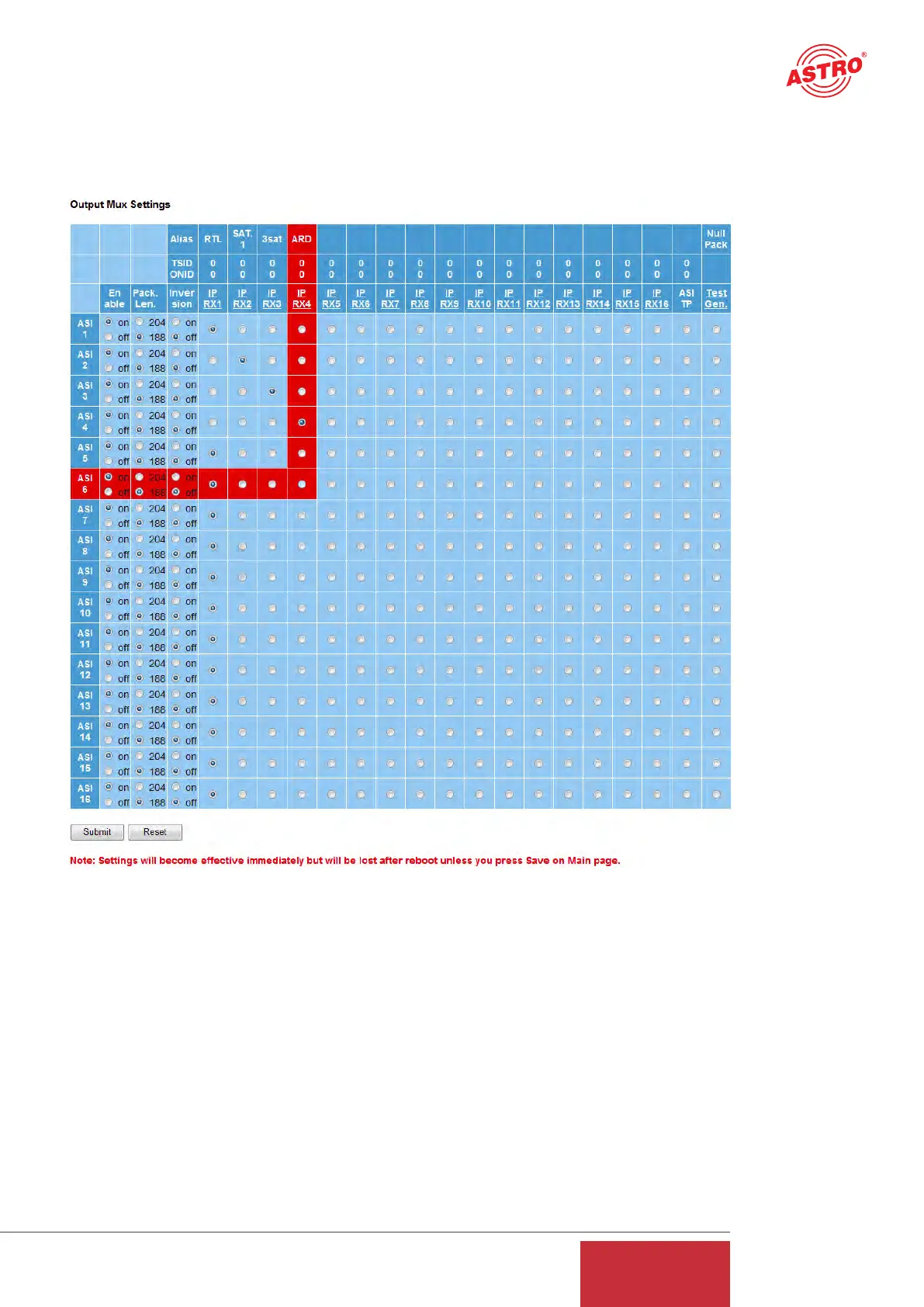
Figure 15: Example view of the output multiplexer
The "Output Mux Settings" are used to assign an IP RX port to each ASI output of the U 261 Gate-
way. An IP RX port can also be routed to several ASI outputs, so that the U 261 can also be used
as an ASI distributor. To provide a better overview, the respective row and column of the output
matrix above which the mouse pointer is situated have a red background. The ASI signal can also
be inverted and can be configured for the packet lengths 188 and 204. It is also possible to turn
off the ASI outputs.
17
User Guide
U 261


 To Next Page