12 User Administration
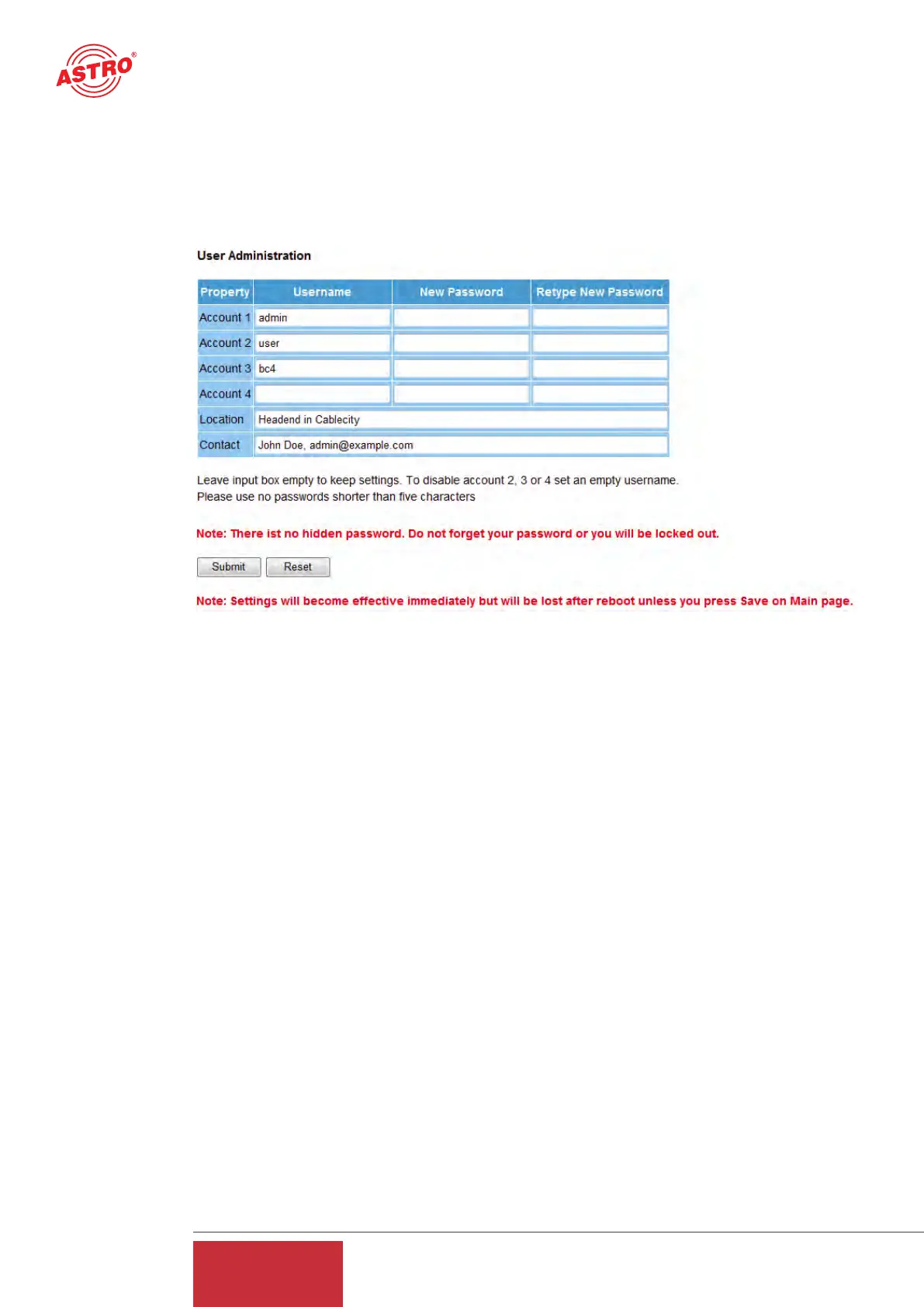
Clicking on the "User" submenu takes you to User administration.
When delivered, the U 261 Gateway can be configured using three different items of access data.
Username: admin, password: astro
Username: user, password: astro
Username: bc4, password: astro
Figure 16: View of User Administration upon delivery
NOTE:
ASTRO does not have a master password! Should you forget your password, you will no longer
be able to log in and the device will need to be sent in.
No service levels are distinguished for the different users. Each user has the same rights. To remo-
ve user accounts 2 to 4, it is merely necessary to input a blank username and click on the "Sub-
mit" button. New passwords which are input must not be shorter than 5 characters.
NOTE:
All settings made need to be transferred to the Gateway and activated using the "Submit" button.
To save the data, make sure that you click on the "Save" button in the "Main" submenu, otherwi-
se the settings which have been changed will be lost following a reboot.
The data which have been input under "Location" and "Contact" are displayed in the topframe.
This makes it possible to avoid confusing appliances and locations when configuring remotely.
13 Transport Stream Analysis
By purchasing a license, the U 261 can be equipped with a transport stream analyzer. This ana-
lyzer shows the structure of the MPEG2 TS from the tables to the individual PID and its service.
Clicking on the "TS Analyzer" submenu takes you to selection of the transport stream to be ana-
lyzed. When a TS is selected and the "Submit" button hit, the following example window opens:
18
User Guide
U 261


 To Next Page