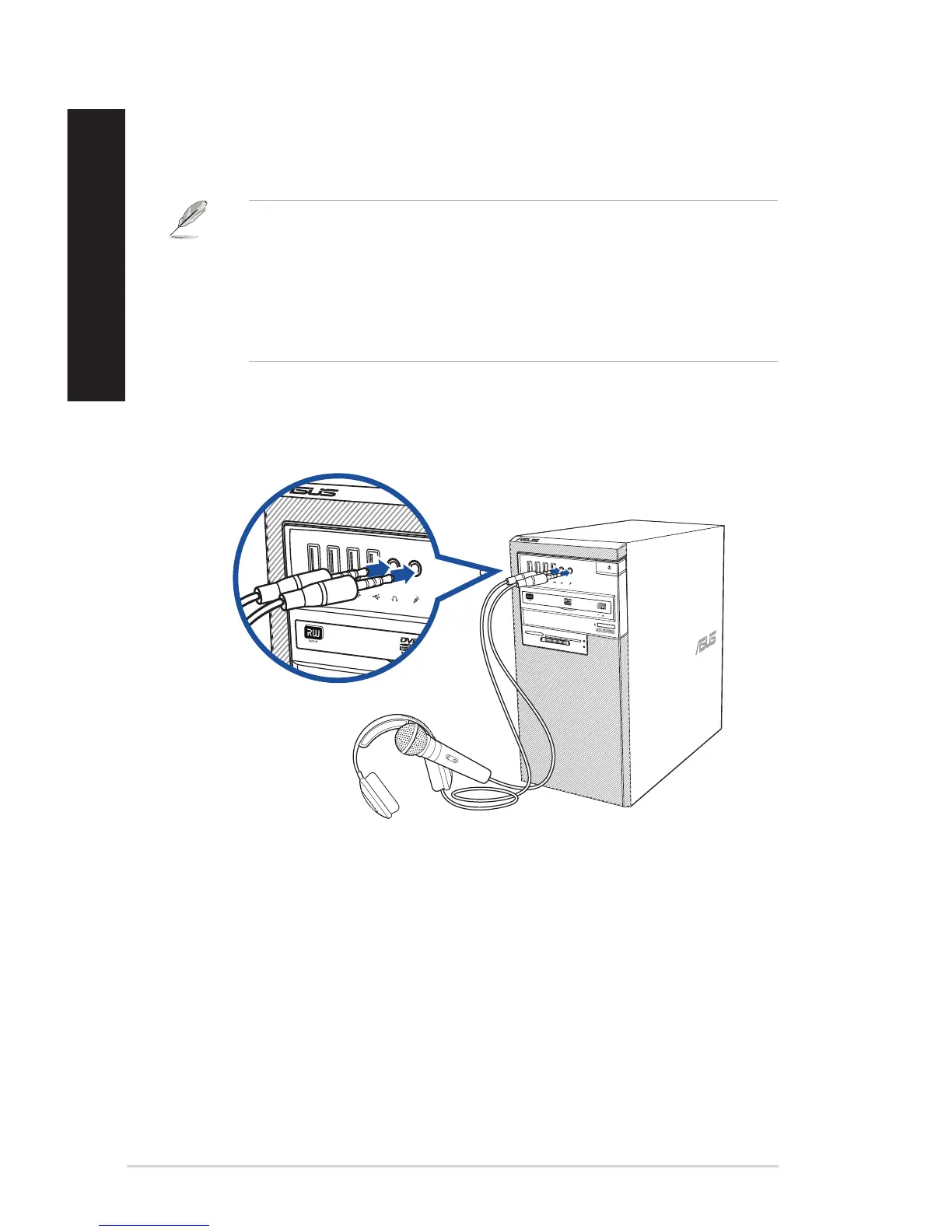
Connecting Headphone and Mic
D520MT (BM2CD)
SD/MMC/MS
Smart Card
CF/MD
Connecting microphone and speakers
This desktop PC comes with microphone ports and speaker ports on both the front and rear panels.
The audio I/O ports located on the rear panel allow you to connect 2-channel, 4-channel, 6-channel,
and 8-channel stereo speakers.
• WhenyourDesktopPCcomeswithaninternalspeaker,theaudiooutputwillbefromthe
internal speaker.
• Whenyouconnectanexternalaudiodevicesuchasearphoneorspeaker,youneedtoenable
the audio device output. For details, refer to the section Changing to the external audio
output.
• Whenyoudisconnecttheaudiodevice,youneedtomanuallychangetheaudiooutputtothe
internal speaker from the Control Panel.
34 Chapter 2: Connecting devices to your computer
ENGLISH
ENGLISH



 To Next Page