ASUS Desktop PC 93
ENGLISH
ENGLISH
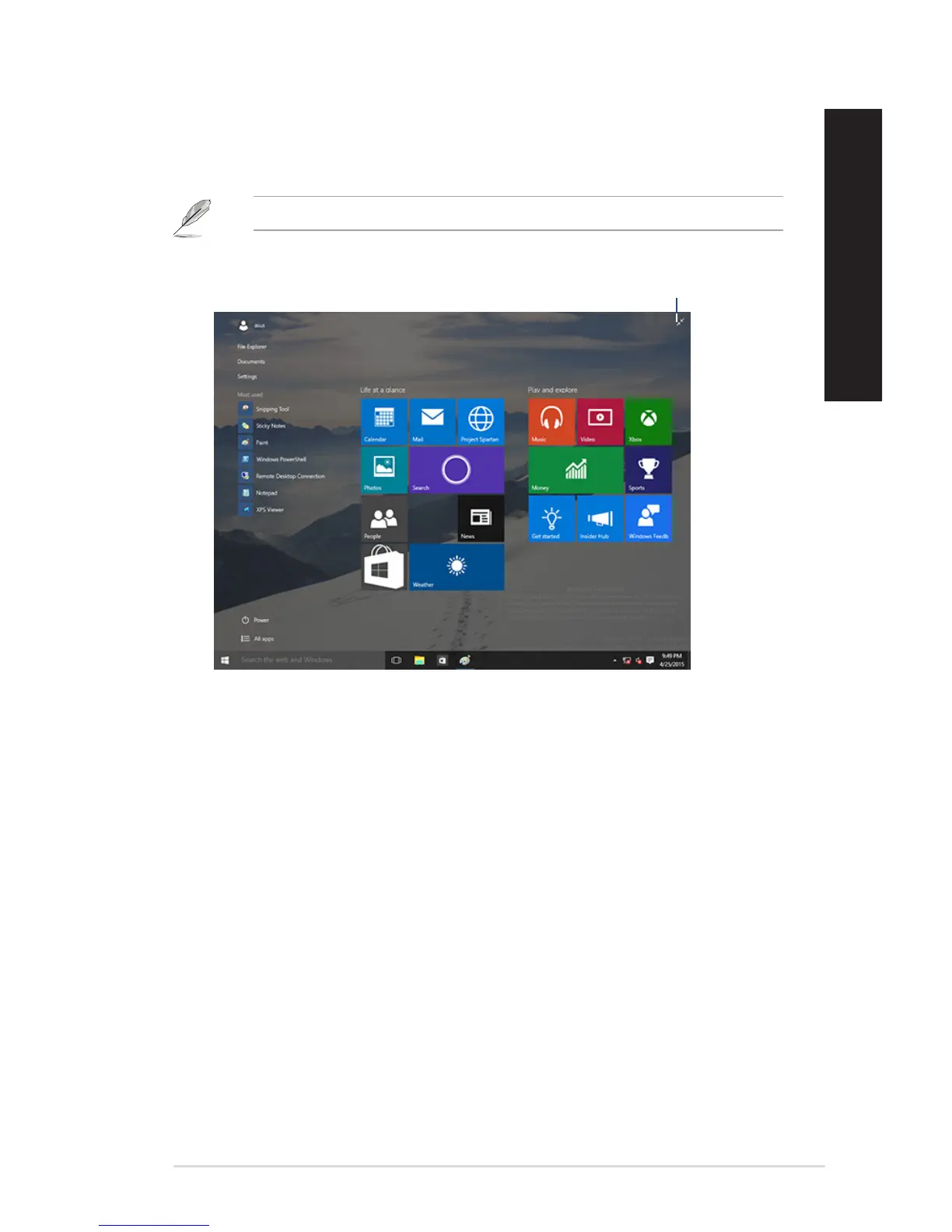
Start screen
The Start screen , which appears together with the Start menu, helps organize all the apps you need
injustoneplace.TheappsontheStartscreenaredisplayedontiled-formatforeasyaccess.
Some apps require signing in to your Microsoft account before they are fully launched.
Click to restore the
Start screen
Moving apps on the Start screen
You can move apps from the Start screen simply through dragging and dropping the app to your
preferred location.
Unpinning apps from the Start screen
TounpinanappfromtheStartscreen,right-clickontheapptoactivateitssettingsbarthenclick
Unpin from Start.



 To Next Page