Wired connection
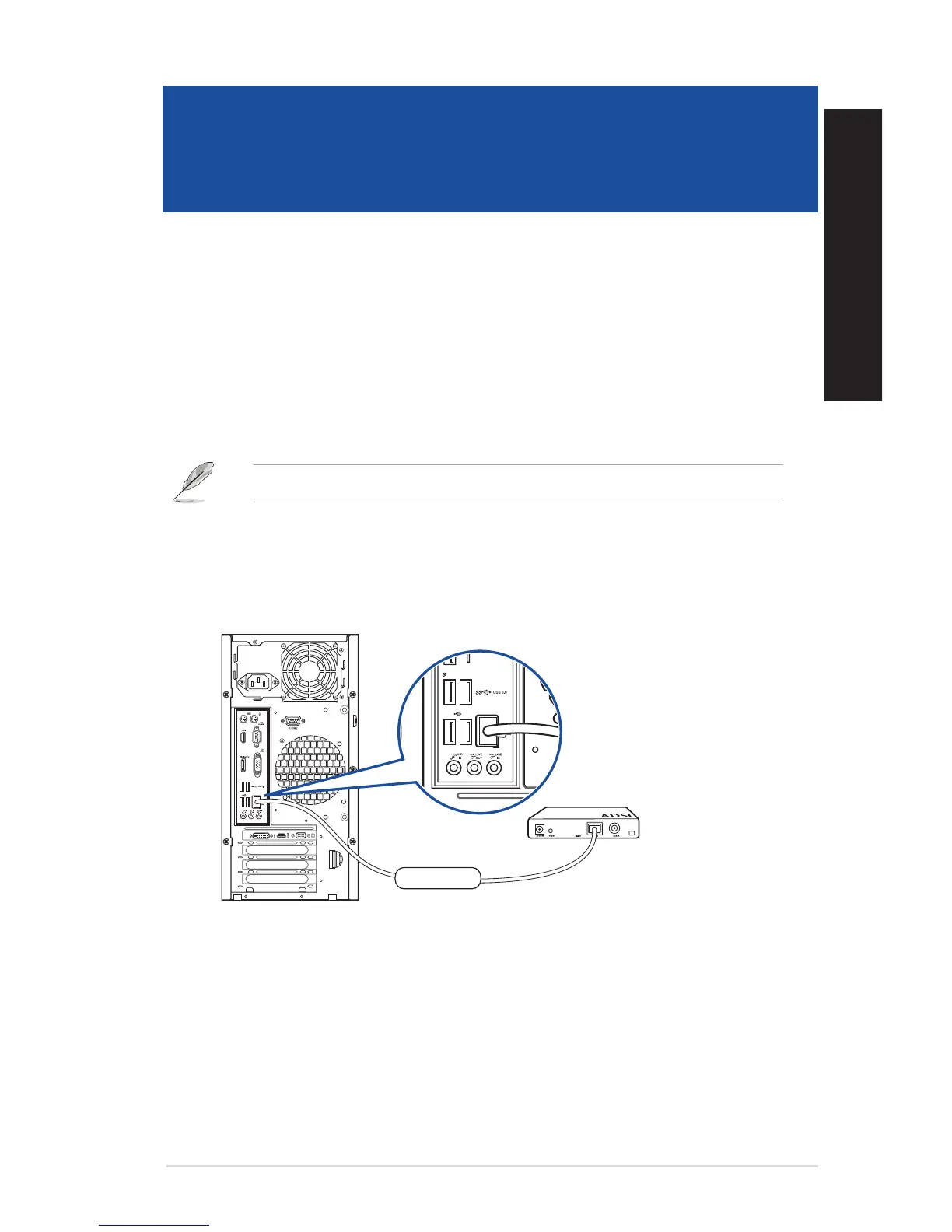
Use an RJ-45 cable to connect your computer to a DSL/cable modem or a local area network (LAN).
Connecting via a DSL/cable modem
To connect via a DSL/cable modem:
1. Set up your DSL/cable modem.
Refer to the documentation that came with your DSL/cable modem.
2. Connect one end of an RJ-45 cable to the LAN (RJ-45) port on the rear panel of your
computer and the other end to a DSL/cable modem.
DVI
Modem
RJ-45 cable
D520MT (BM2CD)
ASUS Desktop PC 47
ENGLISH
ENGLISH
Chapter 4
Connecting to the Internet



 To Next Page