ASUS Desktop PC 95
ENGLISH
ENGLISH
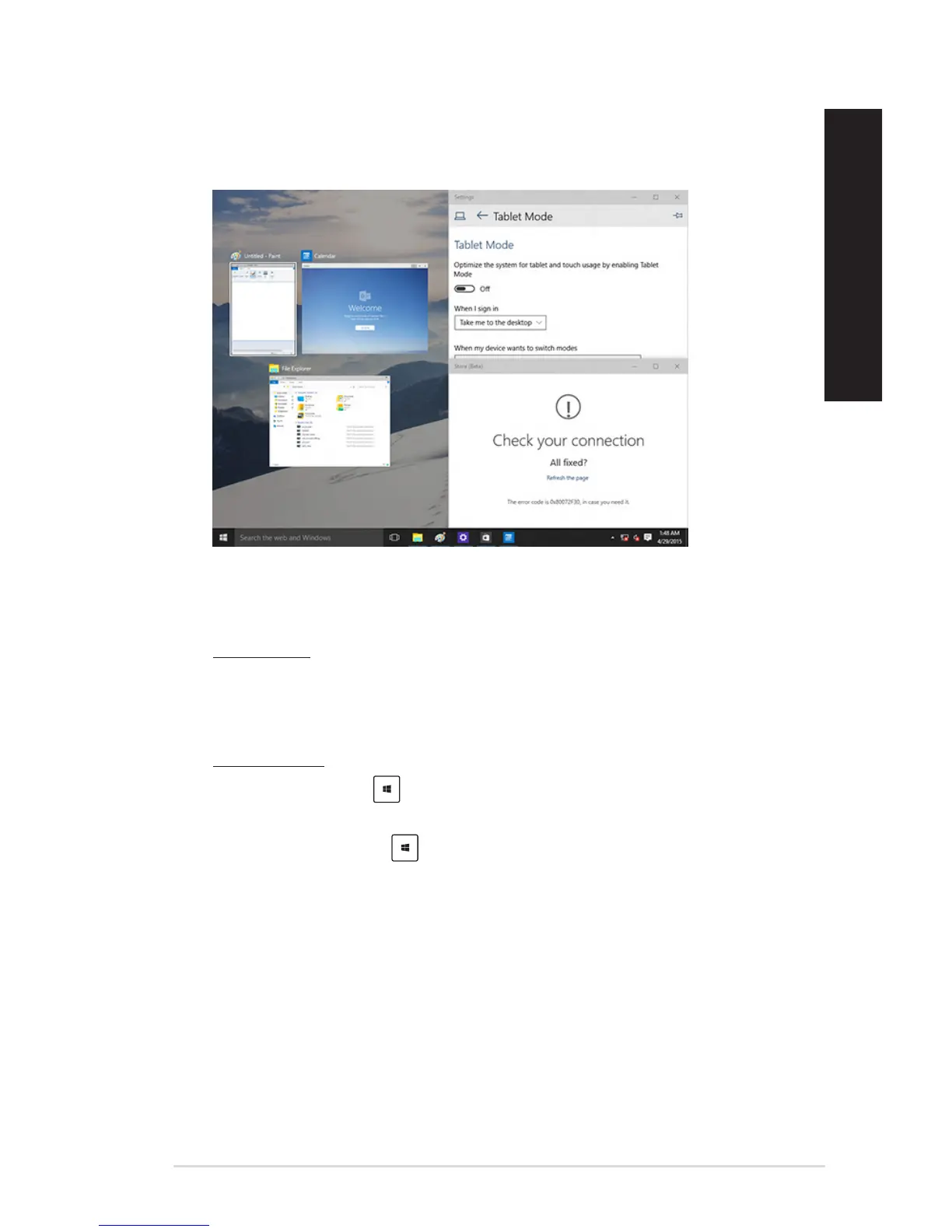
Snap feature
The Snap feature displays about four apps or more in one screen, allowing you to work or switch
among apps.
Using Snap
UseyourDesktopPC’smouseorkeyboardtoactivateSnaponscreen.
Using your mouse
a) Launchanapp,thendragandreleaseonascreencornertosnapitinplace.
b) Snapanotherapptoyourpreferredlocationonthescreen.
Using your keyboard
a) Launchanapp,press and the arrow keys to select the direction where you want to
snap the app in place.
b) Snapanotherappusing and the arrow keys.



 To Next Page