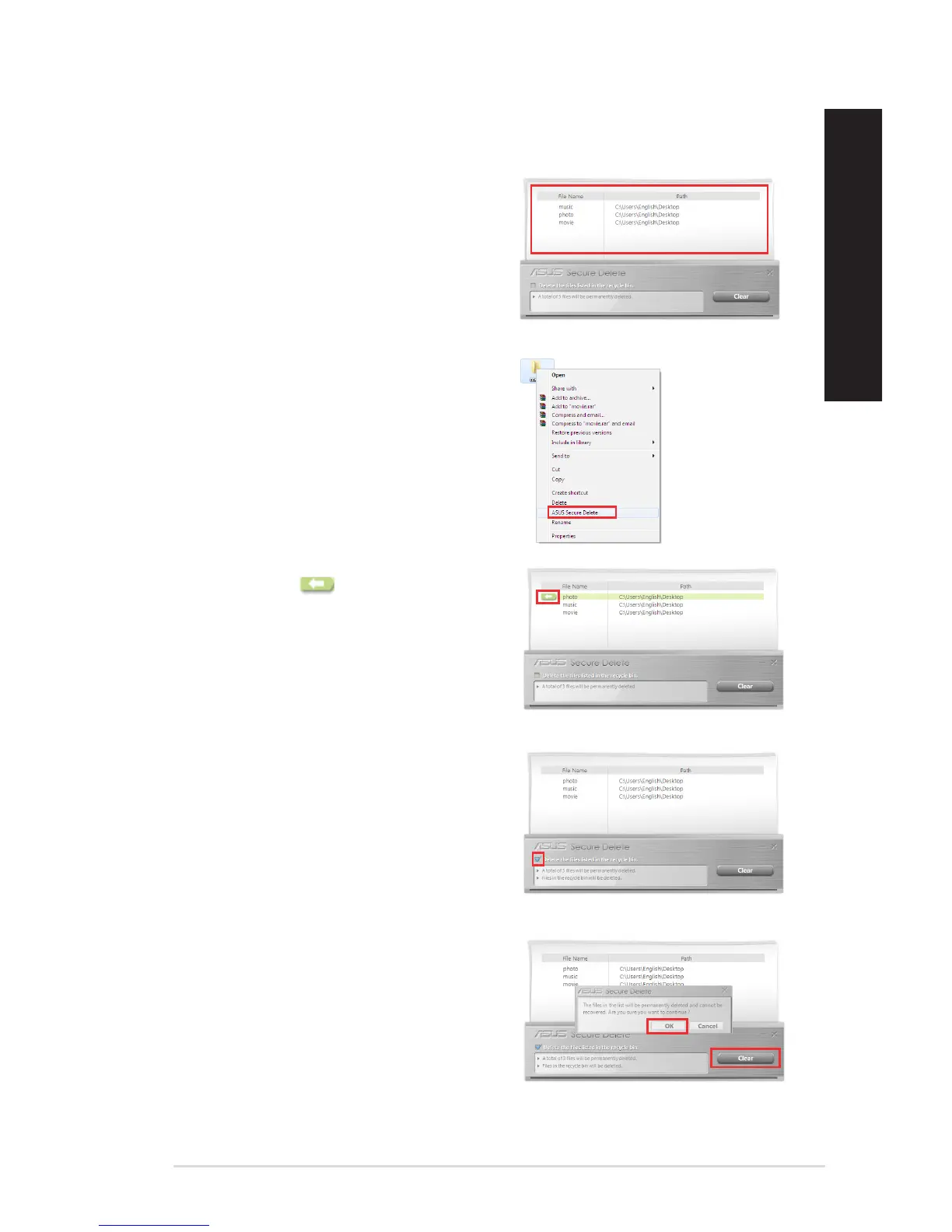
1. Once ASUS Secure Delete is launched, do any of
the following to add files to the deletion box:
• Draganddropthelestothedeletionbox.
2. To remove a file from the deletion list, select the
file, then click .
• Right-clickthelethenselectASUSSecure
Delete.
To use ASUS Secure Delete:
3. Tick Delete the files listed in the recycle bin if
you want to permanently delete all the files in
the recycle bin.
4. Click Clear, and then click OK on the
confirmation message to permanently delete
all the files listed in the deletion box and the
recycle bin (if selected in step 3).
ASUS Desktop PC 59
ENGLISH
ENGLISH



 To Next Page