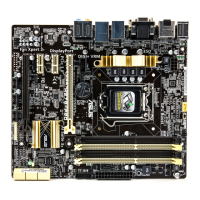
ASUS H87-PLUS
3-15
Chapter 3
CPU Power Phase Control [Standard]
Allows you to set the power phase based on the CPU. Conguration options: [Auto]
[Standard] [Optimized] [Extreme] [Manual Adjustment]
DO NOT remove the thermal module when setting this item to [Extreme] and [Manual
Adjustment]. The thermal conditions should be monitored.
This following item appears only when you set the CPU Power Phase Control item to
[Manual Adjustment].
Manual Adjustment [Fast]
Allows you to set a faster phase response for the CPU to increase system
performance or to slower phase response to decrease DRAM power
efciency. Conguration options: [Ultra Fast] [Fast] [Medium] [Regular]
CPU Power Duty Control [T.Probe]
DIGI + VRM Duty Control adjusts the current of every VRM phase and the thermal
conditions of every phase component.
[T. Probe] Select to maintain the VRM thermal balance.
[Extreme] Select to maintain the current VRM balance.
CPU Current Capability [Auto]
DIGI+ VRM CPU Current Capability provides wider total power range for overclocking.
A higher value setting gets higher VRM power consumption deliveryand extends the
overclocking frequency range simultaneously. Conguration options: [Auto] [100%]
[110%] [120%] [130%] [140%]
Choose a higher value when overclocking, or under a high CPU loading for extra power
support.
CPU Power Management
The subitems in this menu allow you to set the CPU ratio and features.
Enhanced Intel SpeedStep Technology [Enabled]
Allows the operating system to dynamically adjust the processor voltage and cores
frequency, resulting to a decreased average power consumption and decreased
average heat production. Conguration options: [Disabled] [Enabled]
Turbo Mode [Enabled]
Allows you to enable your core processor’s speed to run faster than the base operating
frequency when it is below operating power, current and temperature specication limit.
Conguration options: [Disabled] [Enabled]


 To Next Page