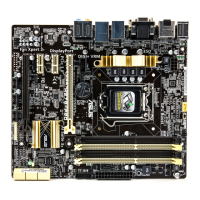
ASUS H87-PLUS
3-33
Chapter 3
Realtek LAN Controller [Enabled]
[Enabled] Enables the Realtek
®
LAN controller.
[Disabled] Disables the Realtek
®
LAN controller.
The following item appears only when you set the Realtek LAN Controller item to
[Enabled].
Realtek PXE OPROM [Disabled]
Allows you to enable or disable the PXE OptionRom of the Realtek LAN controller.
Conguration options: [Enabled] [Disabled]
Serial Port Conguration
The sub-items in this menu allow you to set the serial port conguration.
This item functions only if there is a serial port (COM) connector on the motherboard.
Serial Port [Enabled]
Allows you to enable or disable the serial port (COM). Conguration options: [Enabled]
[Disabled]
Change Settings [IO=3F8h; IRQ=4]
Allows you to select the Serial Port base address. Conguration options: [IO=3F8h;
IRQ=4] [IO=2F8h; IRQ=3] [IO=3E8h; IRQ=4] [IO=2E8h; IRQ=3]


 To Next Page