Z10PR-D16 7-11
Preparing the Linux Driver
Ensure that there is another computer with a Linux-based OS to create the RAID driver. When
creating the RAID driver, you may refer to the examples below which uses a 64bit SUSE Linux
system to create a 64bit RAID driver for SUSE11 sp1.
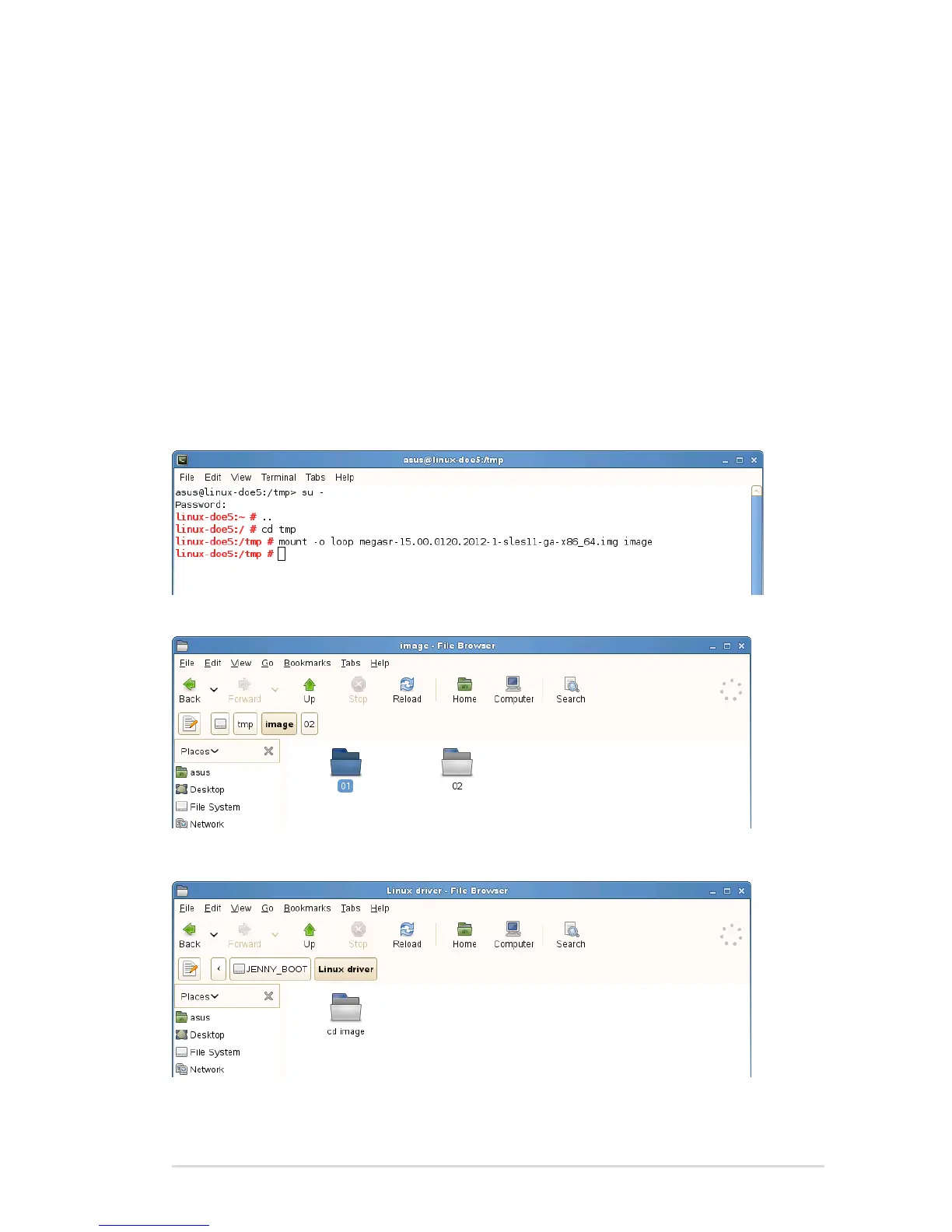
1. Copy the image le into the Linux system.
Example: megasr-15.00.0120.2012-1-sles11-ga-x86_64.img
2. Create a folder.
Example: image
3. Mount the image le into the image folder using this command format:
mount -oloop [image le name] image
Example: mount -oloop megasr-15-15.00.0120.2012-1-sles11-
ga-x86__64.img image
4. Copy the contents of the image directory, labeled as 01, into a FAT32 USB drive.
5. Rename the 01 folder to CD Image.














 To Next Page