Chapter 2: Hardware setup
2-2
2.1 Chassis cover
Removing the rear cover
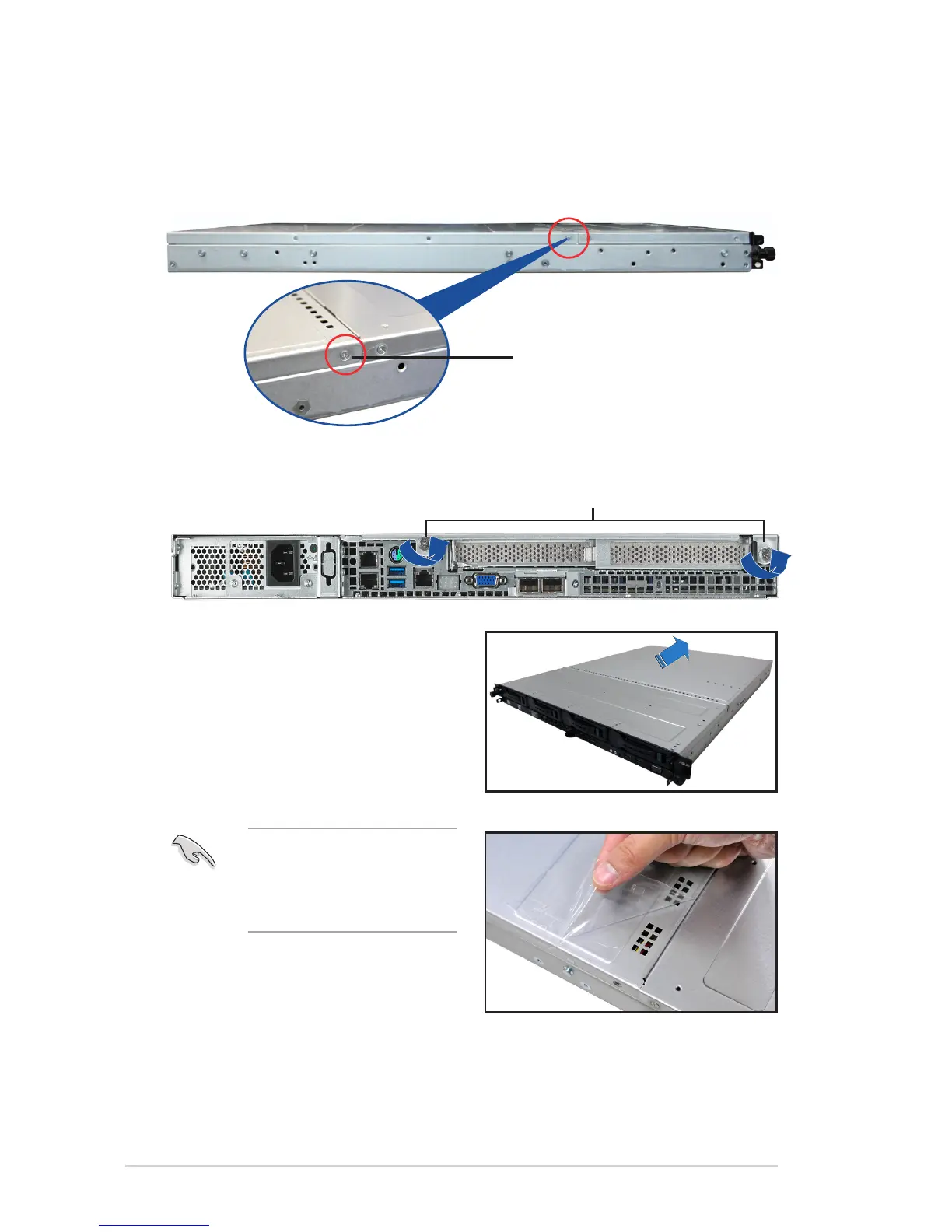
1. Locate and remove the front side screws.
3. Firmly hold the cover and slide it toward
the rear panel for about half an inch
until it is disengaged from the chassis.
4. Lift the cover from the chassis.
5. To recover the rear cover, reverse step
1 to 4.
2. Loosen the two thumbscrews on the rear panel to release the rear cover from the
chassis.
Thumbscrews
A protection lm is pre-attached to
the system cover before shipping.
Please remove the protection lm
before turning on the system for
proper heat dissipation.
Front side screw














 To Next Page