Chapter 2: Hardware setup
2-16
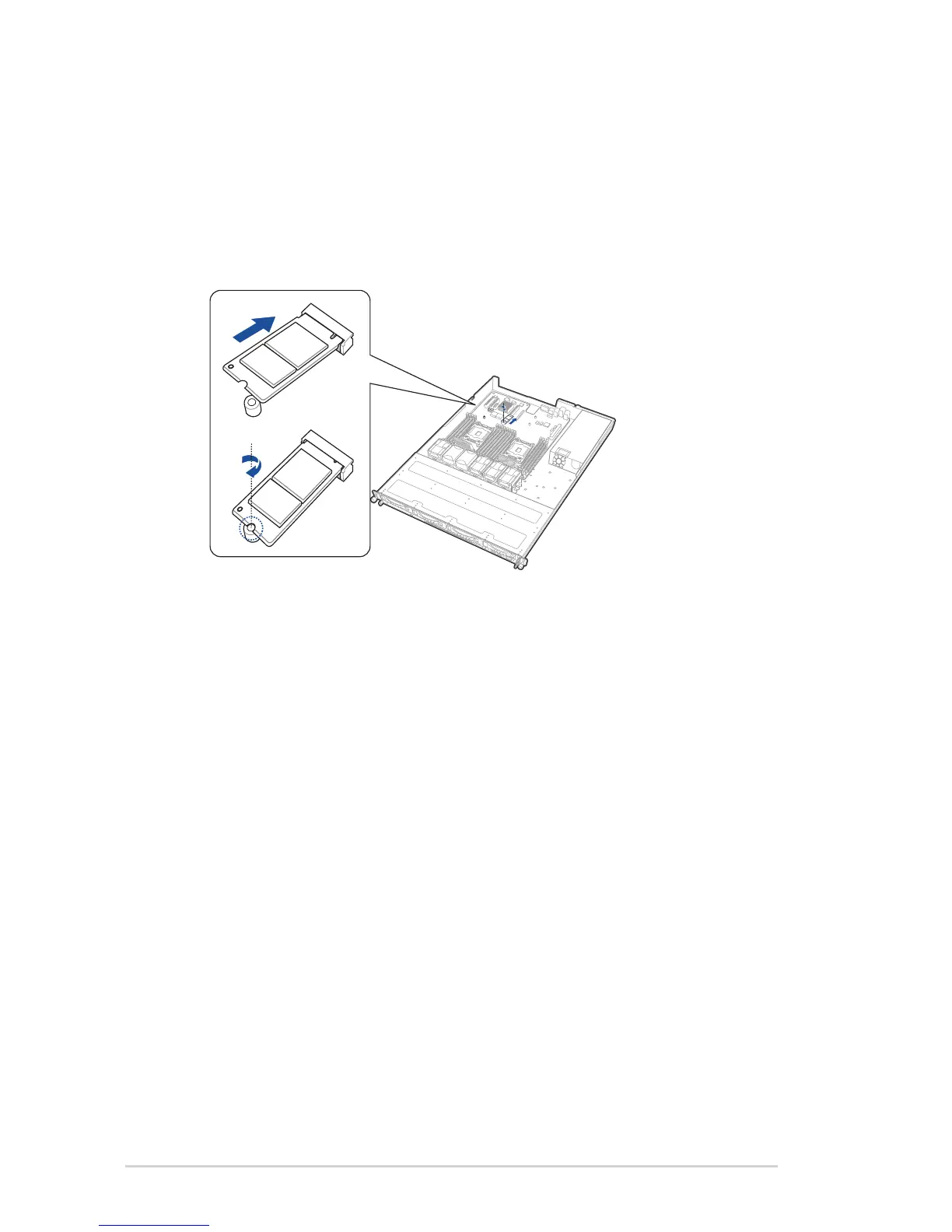
2.5.2 Installing an M.2 expansion card
You can install an M.2 expansion card on the provided M.2 slot onboard.
To install an M.2 expansion card:
1. Prepare your M.2 expansion card.
2. Align and insert the M.2 card into the M.2 slot onboard as shown.
3. Secure the M.2 card with a screw.














 To Next Page