2-7
ASUS RS500-E8 Series
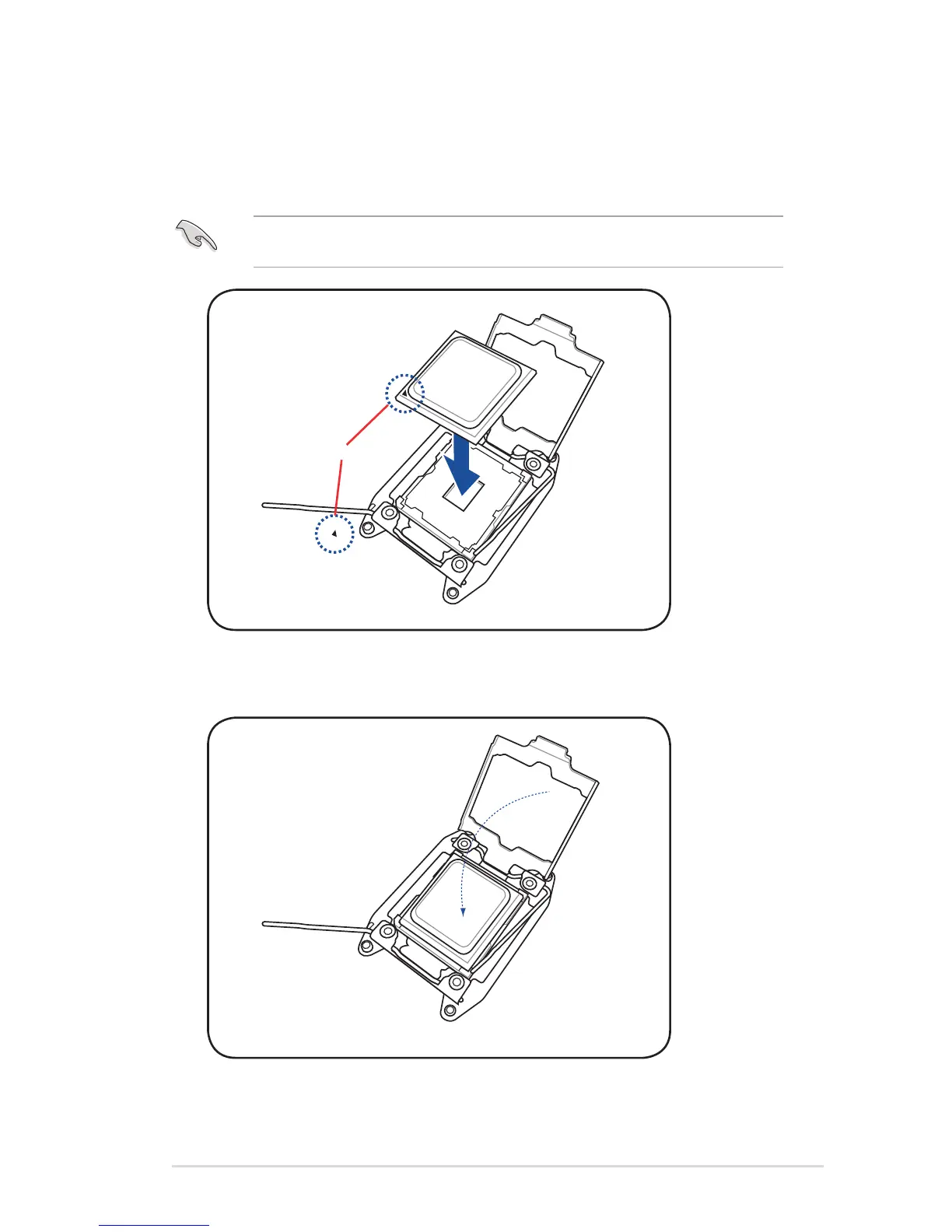
12. Gently push the load plate just enough to let it sit on top of the CPU.
The CPU ts in only one correct orientation. DO NOT force the CPU into the socket to
prevent bending the CPU pins on the socket.
9. Get the CPU.
10. Align and position the CPU over the socket ensuring that the triangle mark on the CPU
matches the triangle mark on the socket box.
Triangle mark
11. Install the CPU into the slot.














 To Next Page