5-16
Chapter 5: RAID conguration
5.3.3 Deleting a volume
Be cautious when deleting a volume. You will lose all data on the hard disk drives.Before
you proceed, ensure that you back up all your important data from your hard drives.
To delete a volume:
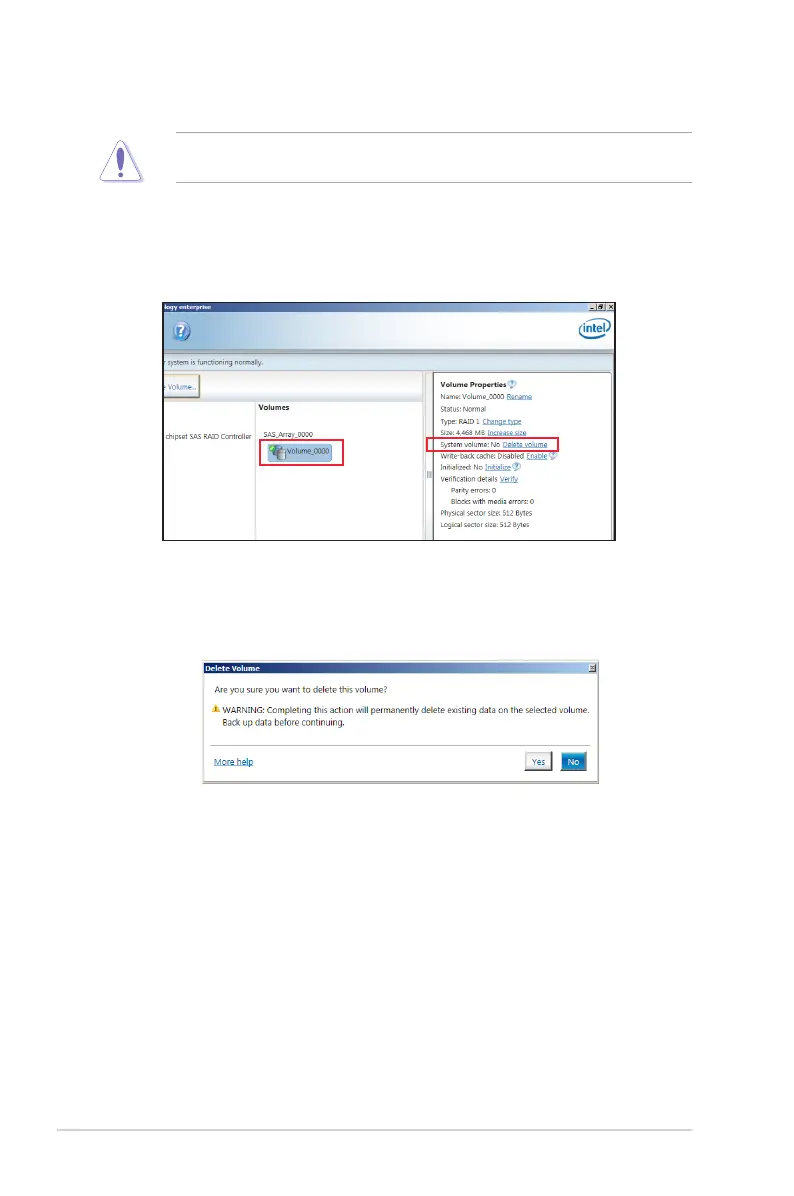
1. From the Volumes eld in the utility main menu, select the volume that you want to
delete.
2. From the Volume Properties eld, select Delete volume.
3. Click Yes to delete the volume and return to the utility main menu, or click No to return
to the main menu.



 To Next Page