6-14 Chapter 6: Driver installation
6.4 Installing the LAN driver
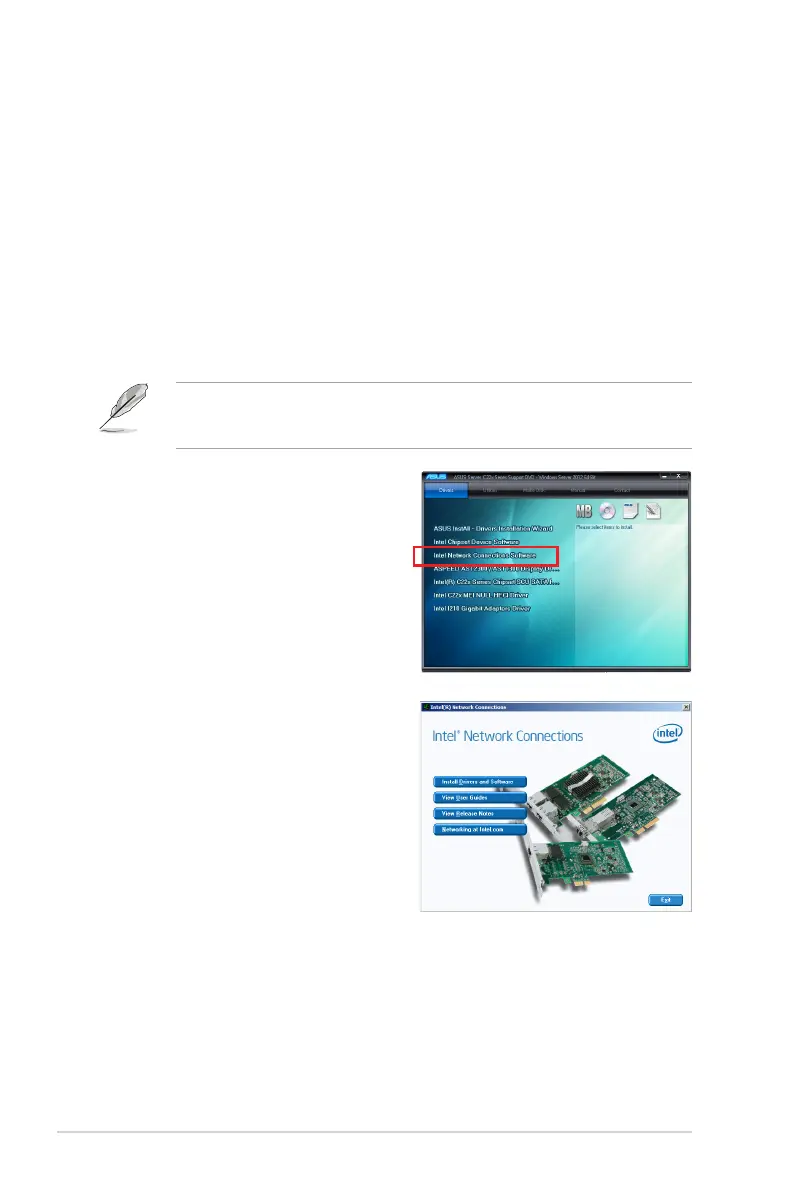
4. Click Intel
®
Network Connections
Software on the Drivers menu to start
the installation.
This section provides the instructions on how to install the Intel
®
Network Connections
Software drivers on the system.
You need to manually install the LAN controller driver on a Windows
®
operating system.
To install the LAN controller device on Windows
®
Server 2008 R2:
1. Restart the computer.
2. Log in with Administrator privileges.
3. Insert the Motherboard Support DVD to the optical drive.
The support DVD automatically displays the Drivers menu if Autorun is enabled in your
computer.
If Autorun is NOT enabled in your computer, browse the contents of the support DVD to
locate the le ASSETUP.EXE from the BIN folder. Double-click the ASSETUP.EXE to run
the support DVD.
5. From the Intel
®
Network Connections
window, click Install Drivers and
Software.













 To Next Page