Installing the utilities and driver in MAC OS
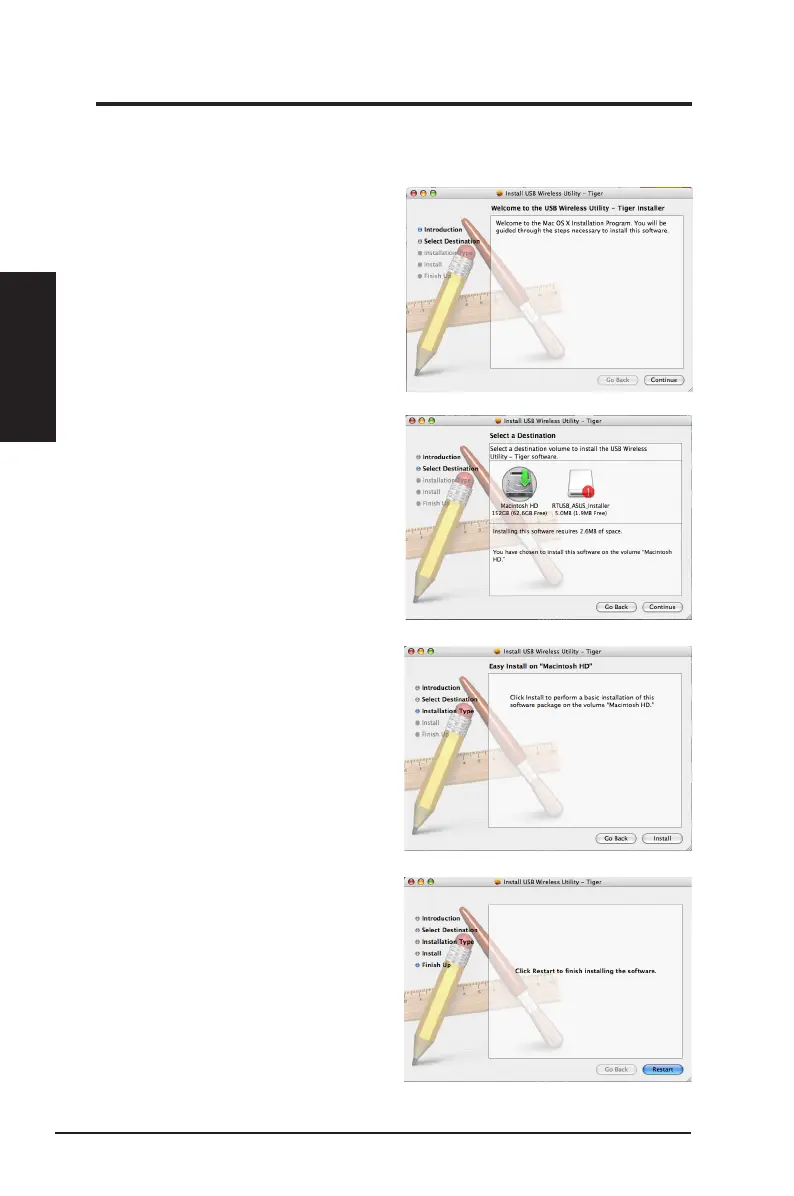
To install the utilities and driver in MAC OS:
1. Double click the installation Icon and
then click
Continue
.
2. Sele ct a destination volume to
install the USB Wireless Utility.
When done, click
Continue
.
3. Click
Install
to perform a basic
installation of this software package
on the volume.
Chapter 2
12 ASUS Network adapter
Chapter 2 - Installation
Installation
4. Click
Restart
to finish installating
the software.


 To Next Page