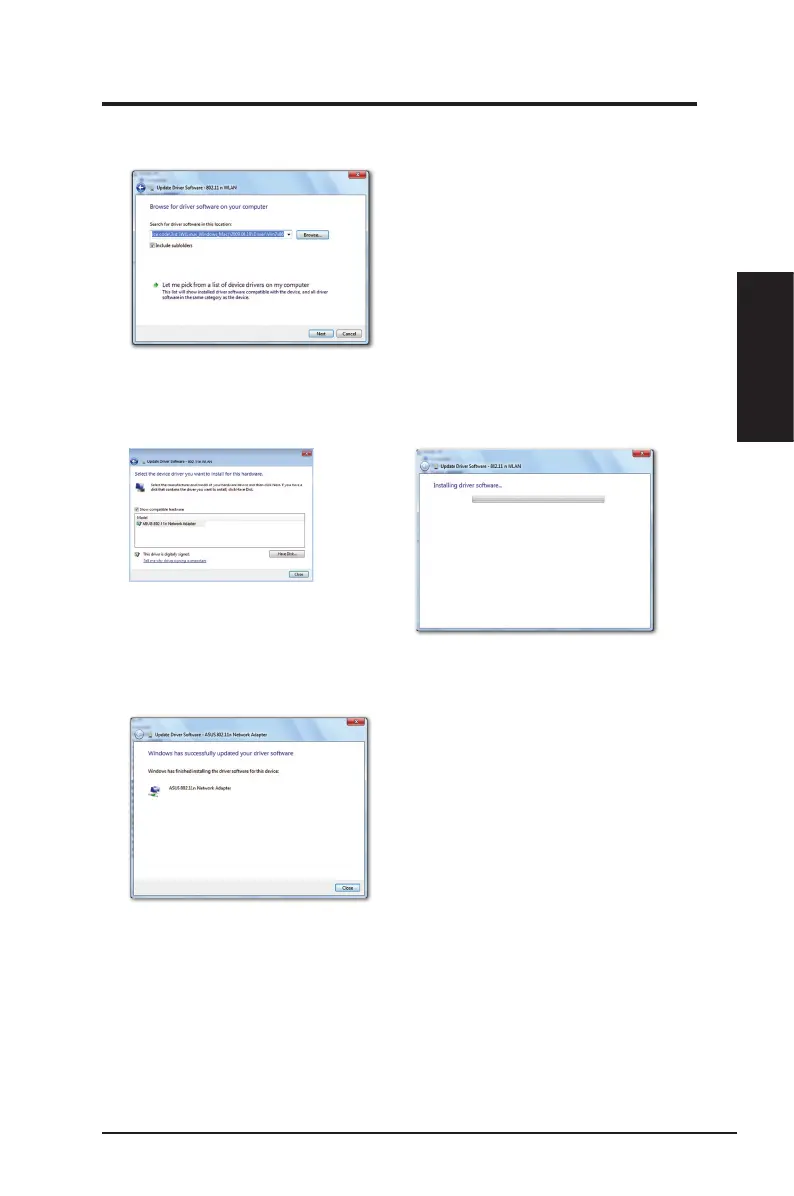
7. Click
Browse
to locate the Support CD folder, then click
Next
to start the driver
installation.
You may also click
Let me pick from a list of device drivers on my
computer
, then select
ASUS 802.11 n Network Adapter
and click
Next
to
start the driver installation.
8. Windows has successfully updated your driver software. Click
Close
and
restart your computer to activate the new settings.
ASUS Network adapter 11
Chapter 2 - Installation
Chapter 2
Installation


 To Next Page