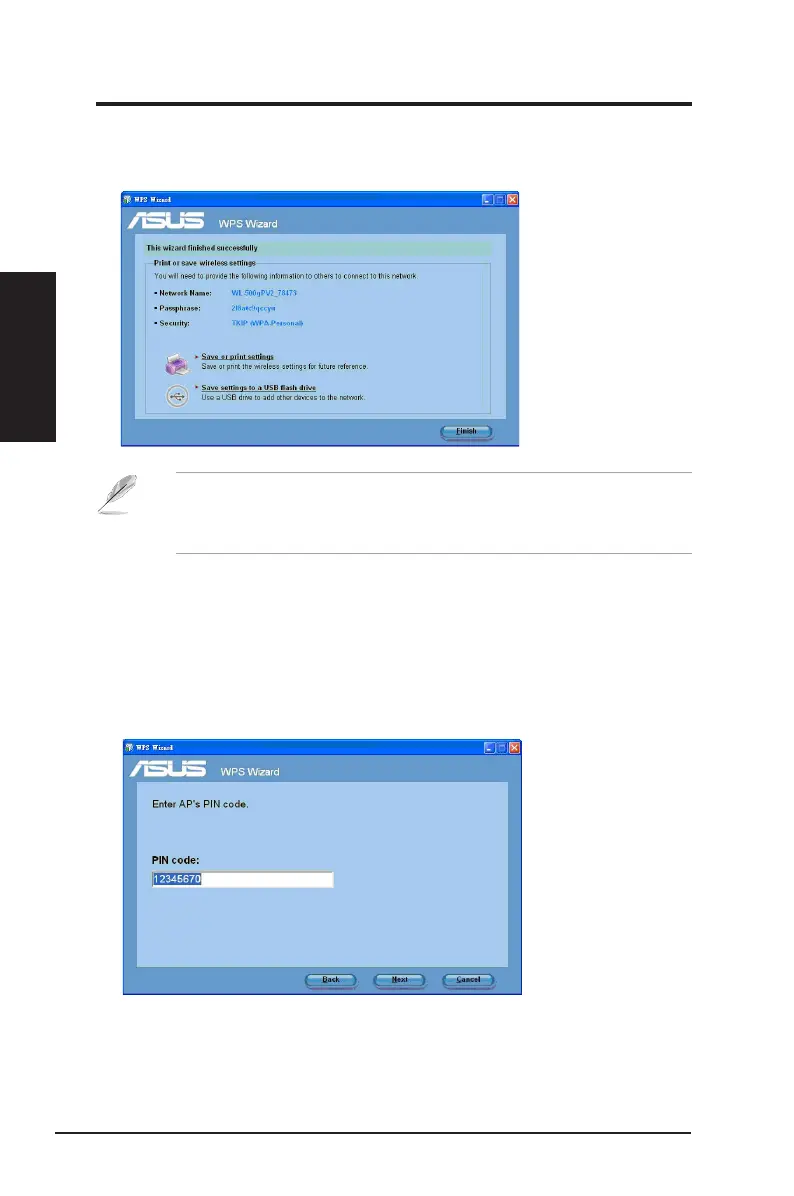
6. WPS Wizard is completed. Click
Save or print settings
for future reference or
Save settings to a USB ash drive
to add other devices to the network. Click
Finish
to close the WPS Wizard.
Note
: For more details on adding devices to the network using a USB
ash drive, refer to the section
Adding network devices using a USB
ash drive
.
Using the PIN code on an uncongured router
To use the PIN code on an uncongured router:
1. Follow steps 1-3 in
Connecting via the PIN code
.
2. If your selected router's status is
Uncongured
, the WPS Wizard screen below
appears. Key in the PIN code in this screen. Click
Next
.
Chapter 2
18 ASUS Network adapter
Chapter 2 - Installation
Installation


 To Next Page