Installation & Servicing Instructions ATAG Q-Series
33
13.2 Checking the CO
2
/O
2
The CO
2
/O
2
percentage is factory-set. This has to be checked at
commissioning, maintance and faults.
This can be checked by means of the following procedure:
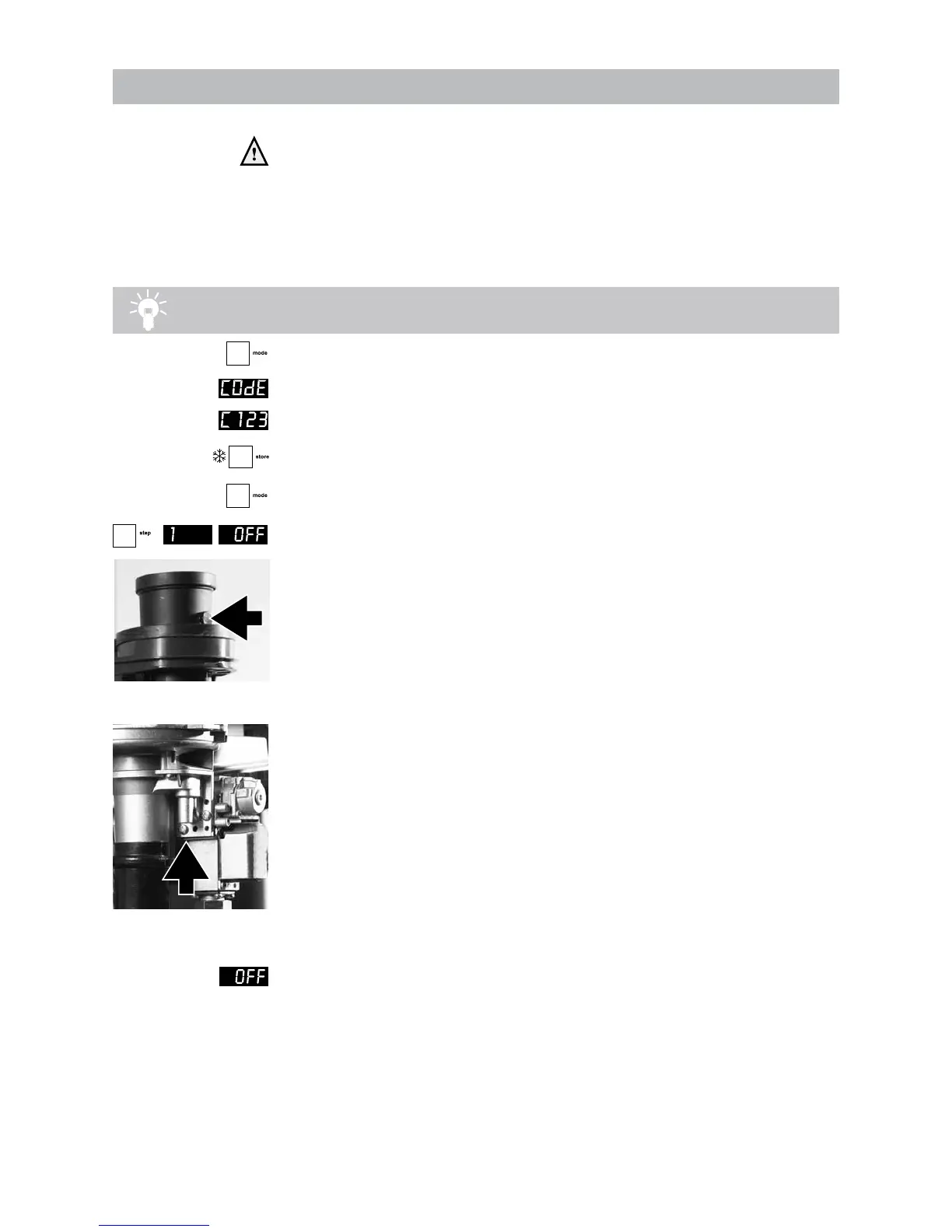
- Remove the black cover of the gas valve by unscrewing the sealed screw.
- Put the boiler into operation and take care that it can deliver its heat;
Tip: If there is no demand for heat on CH, turn the hot water tap completely open and
measure the CO
2
/O
2
.
- Press the MODE-key for 5 seconds.
- The diplay will show COdE followed by an arbitrary number;
- Select by means of the + or the - key the code C123;
- Press the Store-key to conrm the code (code blinks 1 x);
- Press the MODE-key until SERV is shown;
- Press the STEP-key once until 1 is shown;
alternately 1 and OFF will be shown.
- Calibrate the CO
2
/O
2
meter ;
- Place the lance of the CO
2
/O
2
meter into the check point (see g. 15);
- Press the + key until the maximum value (in kW) is achieved;
The boiler will burn on full load (value on display in kW)
- CO
2
percentage = 9%
O
2
percentage = 4,7%
- Let the CO
2
/O
2
meter do its measuring procedure.
- Adjust, if necessary, the adjustment screw to correct the CO
2
/O
2
value
(see g. 16).
Ending the CO
2
/O
2
measuring procedure:
- Press the - key until OFF is shown (keep key pressed).
With this the procedure has ended..
- Replace the black cover on the gas valve and x it with the screw.
checkpoint CO
2
/O
2
gure 15
adjustment screw CO
2
/O
2
gure 16


 To Next Page
 Loading...