Need help?
Do you have a question about the ATECH LC 440 and is the answer not in the manual?
Warning about cutting off power supply before opening the housing cover. Personal injury or death may occur.
Describes the LC 440 controller's use with LP 400 probe for boiler water level control via conductivity.
Details product compliance with EMC and Low Voltage Directives, listing relevant standards.
Instructions for front panel mounting the LC 440 controller using screw clamps and required clearance.
Guidance on determining and cutting electrode probe lengths for desired water levels and switching points.
Details wiring between LP 400 probe and LC 440 controller, including cable types and terminal connections.
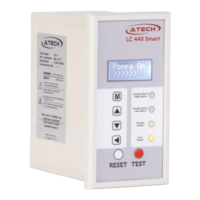
Explains the LCD screen elements, LED indicators, and the functions of the device's buttons.
Describes how to enter parameter mode and navigate through selected parameters using the controller buttons.
Guides through changing various function configurations like startup screen, password, and pump modes.
Details the initial display shown when the device is powered on or when the boiler needs no water.
Explains how to enter commissioning mode and use the password protection feature for unauthorized access.
Describes how to select between 'Pump Out' (discharge) and 'Pump In' (filling) modes for the pump operation.
Enables manual control of the pump, allowing it to start and run until any button is pressed.
Allows selection of Alarm 1 mode: High level, Low level, or Off for the alarm relay operation.
Allows selection of Alarm 2 mode: High level, Low level, or Off for the alarm relay operation.
Sets a delay (3-9 seconds) to prevent false alarms caused by temporary water fluctuations.
Configures the reset function for pump operation, allowing manual or automatic restart after an alarm.
Enables testing of alarm relays and external circuits by setting the Test Function ON or OFF.
Details how to change the device password for security and lists the default password.
Allows selection of menu usage language between Turkish and English.
Explains how to restore factory default settings for functions like Pump Mode, Alarms, and Delay.
Provides information on how to view the current software version of the controller.
Ensures correct wiring, function value adjustment, and checks low/high alarms and pump control before energizing.
Emphasizes disconnecting the main supply before maintenance to prevent damage, injury, or death.
States that only authorized personnel should perform repairs or maintenance on the device.
Recommends performing regular function tests to ensure the device operates correctly.
 General
| Brand | ATECH |
|---|---|
| Model | LC 440 |
| Category | Controller |
| Language | English |

 To Next Page