Chapter 4 - Functions of the instrument
UM-30200D-U User manual H6000 Page 23 / 58
Chapter 4
FUNCTIONS OF THE INSTRUMENT
1. MENU STRUCTURE
1.1. MAIN MENU
To access to the main menu, press and hold the ENTER
key until the main
menu appears (about 3 seconds).
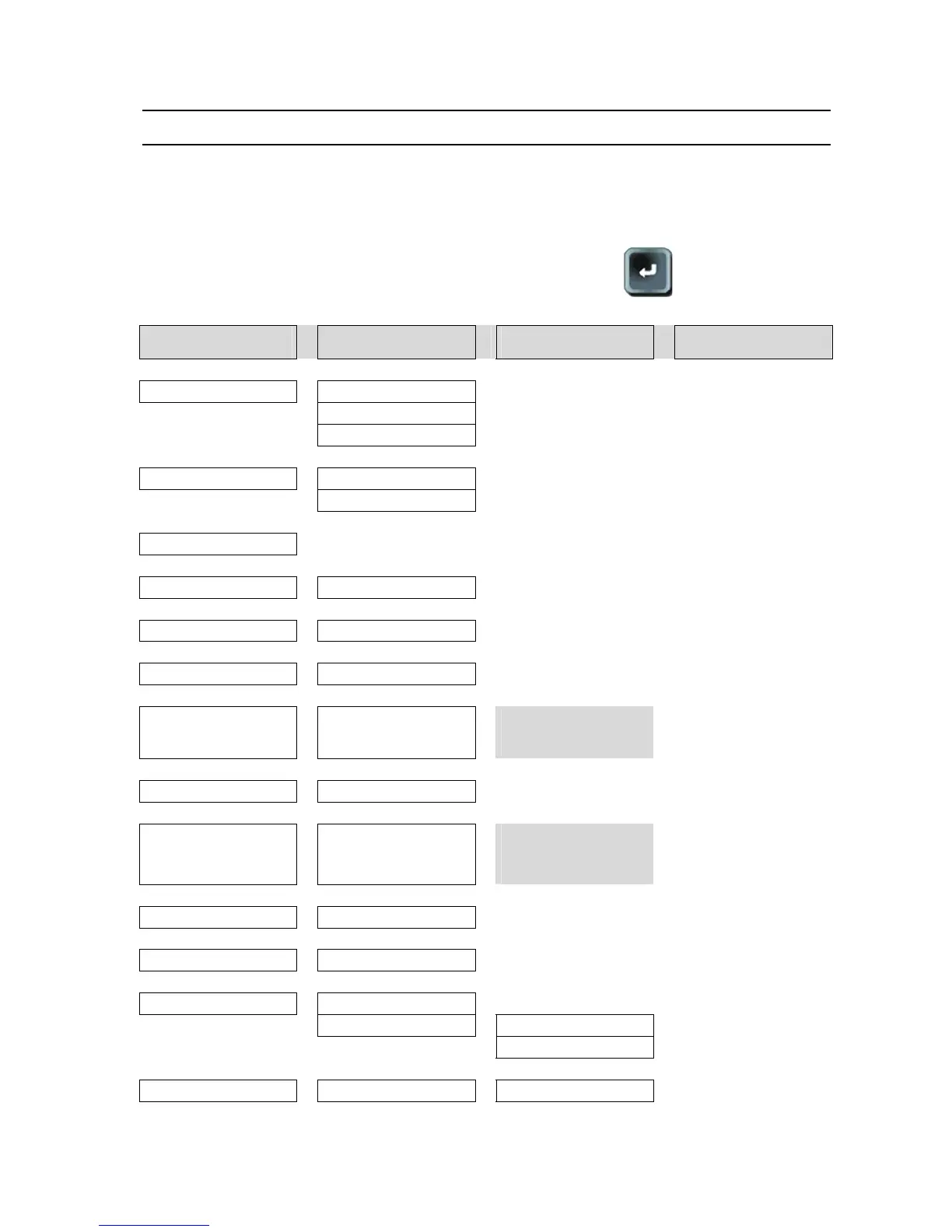
MAIN MENU Under menu 1 Under menu 2 Under menu 3
MODE
> Unlock
V
Lock
V
Erase (password)
V
PROGRAM
> Pr 01 to Pr 128
V
Sequences 1 to 32
V
NAME
V
Wait (*)
> 0.0 to 650.0 s
V
Test (*)
> 0.0 to 650.0 s
V
Reject Unit
> ppm > ml/s > ml/mn
V
Reject
>
0.1 > 999 (ppm) / 1.0 E-6
> 1.0 E-3 (ml/s) / 1.00 E-
6 > 1.00 E-2 (ml/mn)
The reject values are
different according to the
unit selected
Recovery levels (*)
> On / Off
V
Maximum level (*)
>
0.1 > 999 (ppm) / 1.0 E-6
> 1.0 E-3 (ml/s) / 1.00 E-
6 > 1.00 E-2 (ml/mn)
This parameter appears is
the "Recovery Levels" is
validated. The maximum is
the reject level
V
Short cycle
> Yes / No
V
Surveillance
> 0 % to 100 %
V
End of cycle
> No
V
Yes > Stop
V
Research
V
System settings
> Concentration H
2
> 0% to 100% (step 0.1%)


 To Next Page