Chapter 4 - Functions of the instrument
UM-30200D-U User manual H6000 Page 29 / 58
5. PARAMETERS SETTING
Now adjust the test cycle parameters.
The process to adjust the parameters is the same for all.
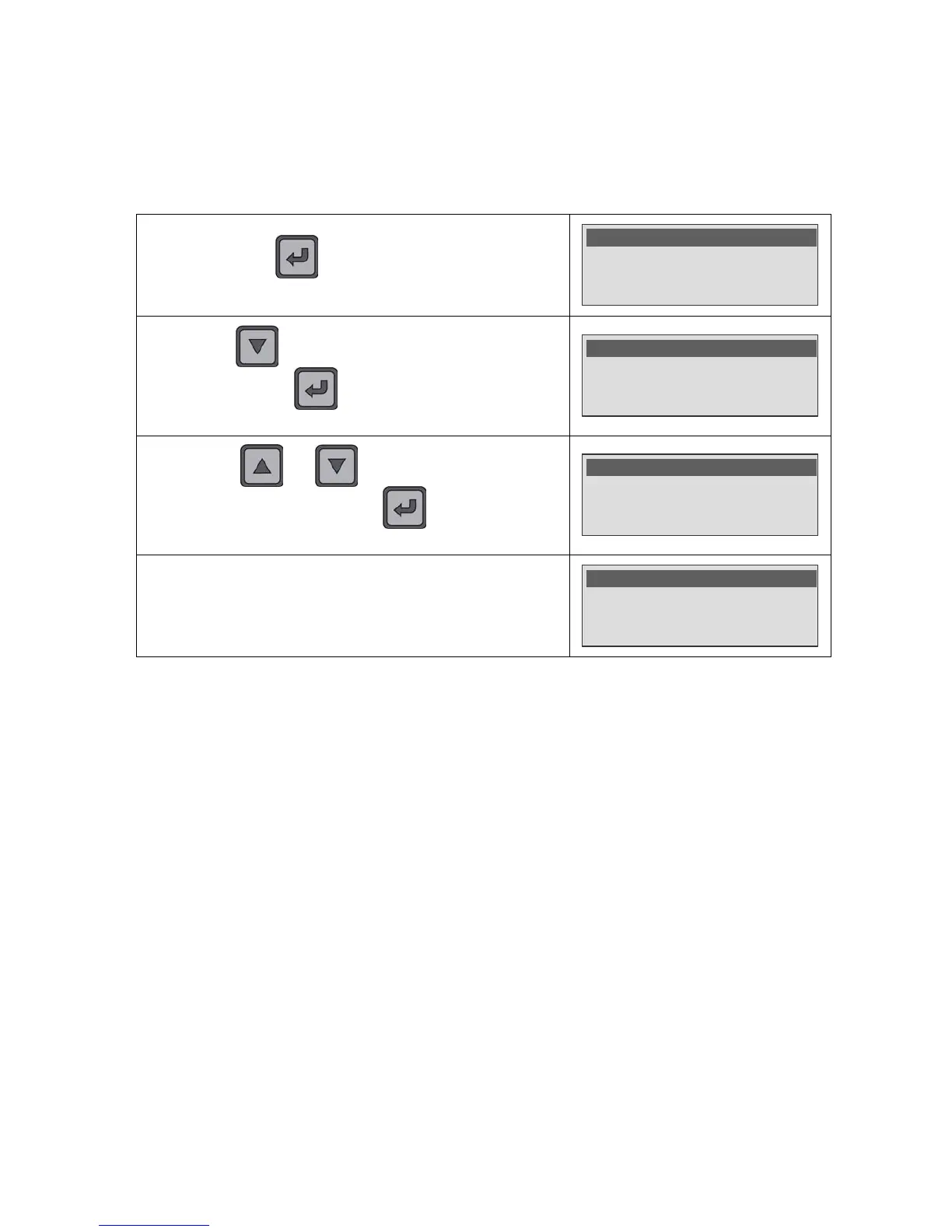
Press and hold the key (three seconds) to enter into the
main menu.
Parameters : Unlock
Mode : Program
>Program : Pr01
By using the key, move down up to the test parameters
and validate with the
key, the cursor goes on the right
side to confirm the parameter edition.
Name : WING L
Rej. Unit : ml/s
>Reject : 1.0 E-4
By using the and keys, adjust the parameter to
the hope value and validate with the
key, the cursor back
to the left side of the display.
Name : WING L
Rej. Unit : ml/s
>Reject : 6.0 E-5 <
Adjust the others parameters by using the same process.
Nom : AILE G
Unite Rej.: ml/s
>Rejet : 6.0 E-5
5.1. COMMON PARAMETERS TO ADJUST (PORTABLE AND FIXED)
With the Portable version, the user manages the device and the measurement. He
determines when he starts and stops the measurement cycle (infinite test time).The
device displays the leak value and the result in relation with the rejects levels.
For the Fixed version, the user doesn't need to manage the measurement. The device
displays the leak level during the test time and communicates the results.
5.1.1. Program name (NAME)
This function allows personalizing a program, for example to identify it with the part to
test name. Enter 7 alphanumeric characters maximum.
5.1.2. Reject unit
This is to choose the instrument measurement unit. Choice among: ppm (parts per
millions), ml/s, ml/mn.


 To Next Page