Chapter 4 - Functions of the instrument
UM-30200D-U User manual H6000 Page 35 / 58
7.3. LIGHTING THE SCREEN
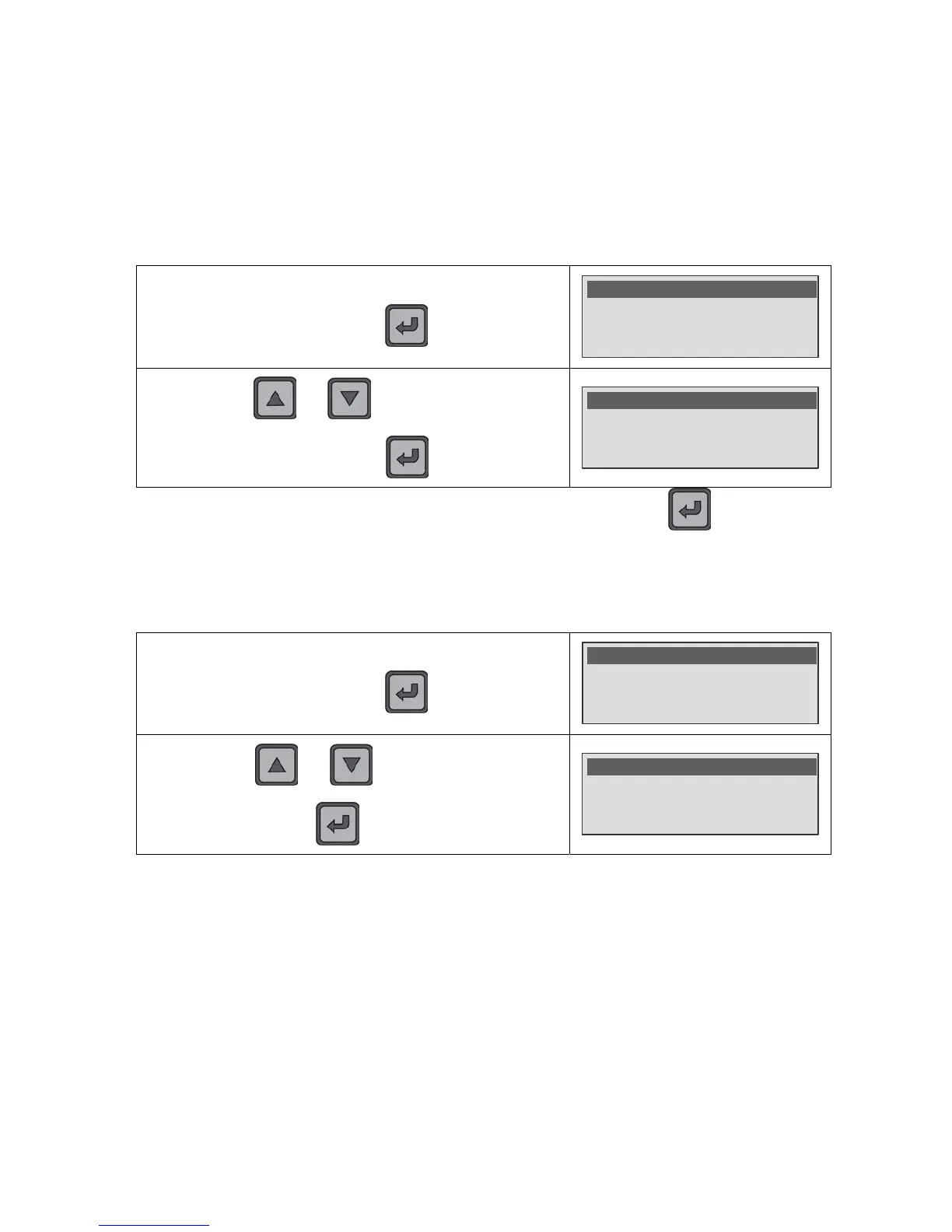
The brightness of the backlighting can be set so as to suit the backlighting to the
ambient lighting or your personal preferences. The screen backlighting is programmable
and can be altered. This adjust is from 0% (backlight off) to 100% (maximum light).
Backlighting of low brightness will save battery power. Specify a setting that suits the
way you use the instrument.
In the SYSTEM SETTINGS menu, select the Backlight function
and validate with the
key.
Date : 10/08/09
Hour : 10:25
>Backlight : 60%
By using the and keys, select the backlight
intensity from 0 % (off) to 100 % (maximum) by step of 10 %
then validate with the
Key.
Date : 10/08/09
Hour : 10:25
Backlight : 80% <
Note: the backlight intensity is modified after the validation with the key.
7.4. BUZZER
The Buzzer function allows ringing a beep during the measurement test time.
In the SYSTEM SETTINGS menu, select the Buzzer function
and validate with the
key.
SYSTEM SETTINGS
ENU
Backlight : 60%
Auto Off : No
>Buzzer : Off
By using the and keys, select On or Off to
validate or not the beep ringing and then confirm by using the
key.


 To Next Page