Chapter 6 – Service
UM-30200D-U User manual H6000 Page 52 / 58
3. PROBABLES FAILURES
The ATEQ Company disclaims any responsibility if the instruments calibration and
adjustment would not be performed by its services.
If a failure with the device appears, see the following list (left column) to identify the
fault, make checks or actions steps (right column) in the same order.
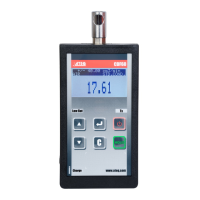
3.1. PORTABLE VERSION DEVICE
Identified failure Remedial action
1 – The device doesn't turn on.
1) Charge fully the battery.
2) Change the battery by a new one.
3) Check the electrics contacts between the battery
and the device.
4) Contact the ATEQ after sales service.
2 – Wrong or false measures.
1) Check the battery charge.
2) Wait until the sensor is less saturated (end of the
flashing green "PASS" light), repeat the test.
3) Ventilate the test area, from hydrogen saturation.
4) Check the calibration of the instrument, if failed;
return it to the ATEQ after sales serves.
5) Change the components displayed by the
messages (filter, cable, sensor or fan).
6) Contact the ATEQ after sales service.
3.2. FIXED VERSION DEVICE
Identified failure Remedial action
1 – The device doesn't turn on.
1) Check the power supply.
2) Contact the ATEQ after sales service.
2 – Wrong or false measures.
1) Check the power supply.
2) Wait until the sensor is less saturated (end of the
flashing green "PASS" light), repeat the test.
3) Ventilate the test area, from hydrogen saturation.
4) Check the calibration of the instrument, if failed;
return it to the ATEQ after sales serves.
5) Change the components displayed by the
messages (filter, cable, sensor or fan).
6) Contact the ATEQ after sales service.


 To Next Page