Chapter 4 - Functions of the instrument
UM-30200D-U User manual H6000 Page 33 / 58
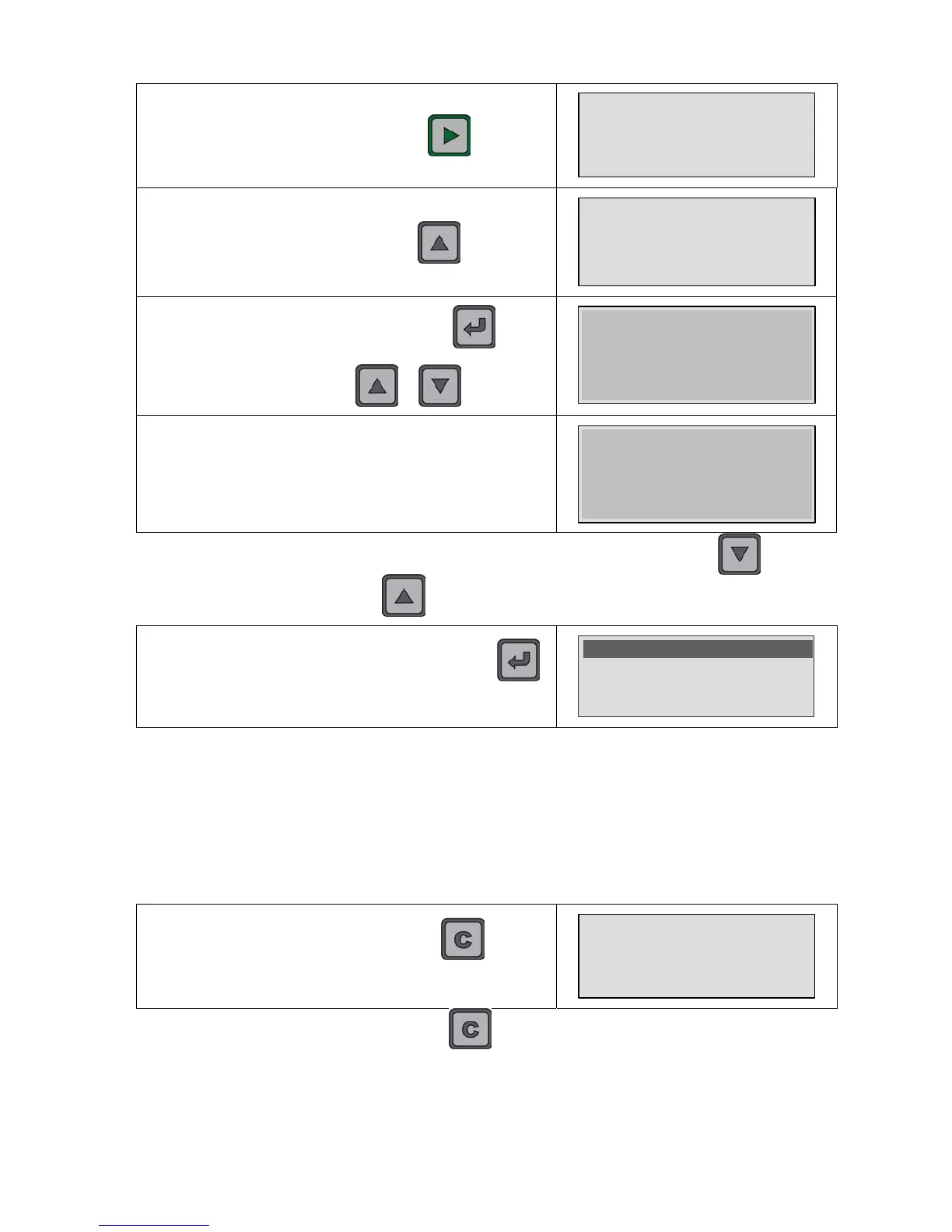
Save the step result by pressing the
key.
4.3 E-5 ml/s
Result saved
So continue with the other steps until the sequence end. At
the last step, the user must press on the
key to go to
the sequence validation and saving.
S01 -3/3- Pr08
-----
The opposite message appears; press on the key to
validate the sequence. To stay in the sequence without
validation, press on the
or key.
SEQUENCE COMPLETE
PRESS ENTER
TO VALIDATE
When this message is displayed, the sequence is saved.
SEQUENCE SAVED
Note: the user can at any time return to a previous step by pressing the key and
come back by pressing on the key. So, he can navigate through the sequence.
During the sequence running, if the user presses the
key, the special cycle's menu appears to manage the
sequence.
>Reset sequence
Tests -TO DO-
Tests -CANCEL-
With these functions, it's possible to:
¾ Reset sequence: to delete the current sequence, thus cancel all the tests
carried out in the sequence and start a new sequence.
¾ Tests –TO DO- : to display all the steps remaining in the sequence (or the
skipped ones) to ease these steps to retrieve.
¾ Tests –CANCEL- : to display all the steps which are be cancelled in the
sequence to ease these steps to retrieve.
To cancel a step, the user must press on the key. The
message "CANCEL" appears and the step is declared
cancelled.
TEST CANCELED
Note: if the user presses again the key, the just cancelled step becomes a
"TO DO" step. If the cancelled step had been already carried out, it becomes "TO DO"
too.


 To Next Page