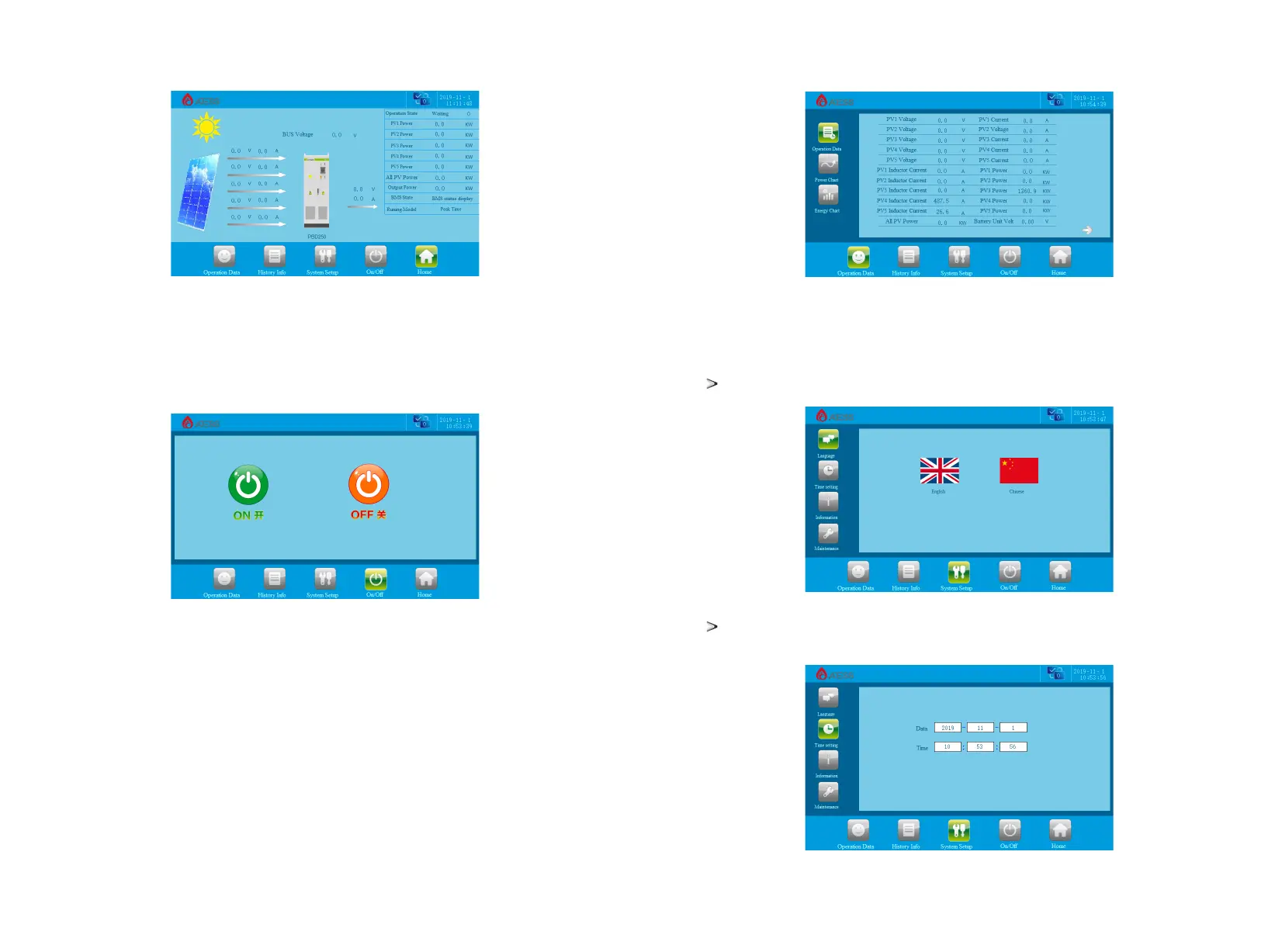
7.2.2 ON/OFF interface
Clicking “ON/OFF” button in any interface will enter into this interface.
There are “ON” and“OFF” button which is used to turn on and turn off the PBD.
Start up: turn the start knob to on and click "on" to start up successfully.
Shut down: shut down by clicking "off", or turn the start / stop knob to off directly.
7.2.3 Operation data
Click [operation data] at the bottom of any other interface to enter the submenu of "operation data".
The submenu includes: operation data, power curve, charge and discharge capacity. The corresponding
submenu interface can be accessed through the left button. The default one is"operation data" interface.
A number of data under the interface are inserted through the "USB" interface on the back of the LCD
screen. The real-time running data of the PBD will be automatically stored in the USB every other minute.
The PBD will automatically create a DTL file in the USB every month for data storage, which can be
transferred to Excel file and through which can view the historical record information.
Operation data: display the current parameters and real-time data of energy storage power generation,
including grid voltage, grid frequency, grid current, DC input voltage, DC input current, temperature in the
case and total generation time (real-time update).
Clicking “System setting” button in any interface will enter into this interface.
Submenu: language settings, time settings, PBD information, maintenance.Pressing the left button can enter
into the corresponding submenu interface. The default one is language setting interface.
Language Settings: Select language, currently it only supports Chinese, English.
7.2.4 System setting
Time settings: system time setting (if the date and time displayed on LCD is not inconsistent with the
actual date and time, they can be modified here).
27
28


 To Next Page