
 Need help?
Do you have a question about the ATESS PBD250 and is the answer not in the manual?
Lists the structure and content of the user manual.
Identifies the intended audience for the user manual.
Provides guidance on effectively using the manual.
Explains the meaning of various safety symbols used in the manual.
Outlines general safety guidelines for operating the equipment.
Details safety considerations during the installation process.
Specifies the required training and qualifications for operators.
Highlights critical safety notices for equipment use.
Describes the role of the controller in an energy storage system.
Presents the electrical circuit diagrams for PBD350 and PBD250.
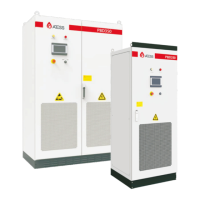
Introduces the external components of the PBD controller.
Explains the function and meaning of the controller's LED indicators.
Details the function and operation of the emergency stop button.
Describes how to use the knob to start or stop the controller.
Explains the function of the LCD touch screen for operation.
Lists and describes the internal components of the PBD controller.
Defines the various operational modes for the PBD controller.
Details the operational logic and functions within the on-grid mode.
Explains the load priority mode within the on-grid operation.
Explains the battery priority mode within the on-grid operation.
Explains the economic priority mode within the on-grid operation.
Provides instructions and precautions for transporting the PBD.
Details procedures for inspecting and storing the PBD.
Specifies the environmental and site requirements for installation.
Details the necessary foundation specifications for mounting the PBD.
Defines the minimum space needed around the PBD for installation and maintenance.
Recommends cable trenching for ease of installation and maintenance.
Provides guidelines for power and communication cable routing and separation.
Outlines the necessary ventilation conditions for proper operation.
Recommends ventilation devices to ensure optimal ambient temperature.
Details other protections like dust and water prevention for the PBD.
Lists the tools and spare parts needed for installation.
Covers the steps for mechanical installation of the PBD.
Details the process of transporting the PBD in its original packaging.
Explains how to move the PBD unit after removing its packaging.
Covers the procedures for electrical connections and setup.
Specifies the electrical input and output requirements for the PBD.
Details the electrical connection requirements for the battery.
Specifies the type and size requirements for various cables.
Provides detailed instructions for wiring the DC side of the PBD.
Explains the importance and procedure for grounding the PBD unit.
Details the wiring connections for the PBD's cooling fan.
Describes the communication interfaces and protocols used by the PBD.
Covers wiring diagrams for single unit, parallel systems, and CAN communication.
Illustrates the wiring diagram for a single PBD unit connected to PCS.
Shows the wiring diagram for multiple PBDs connected in parallel.
Lists inspection items to be checked before putting the PBD into operation.
Details specific items to inspect regarding the installation correctness.
Covers checks related to electrical connections and grounding.
Lists additional checks required before operation.
Provides the step-by-step procedure for powering on the PBD.
Introduces the LCD touch screen interface for monitoring and settings.
Guides the user on operating the controller through the LCD interface.
Explains how to navigate and view information on the Home page.
Details the interface for turning the PBD unit on and off.
Describes how to access and view real-time operational data.
Guides the user through system settings like language and time.
Explains how to access and view historical failure and operation data.
Provides further details on accessing historical data records.
Presents a schedule of information displayed on the LCD, including fault codes.
Outlines systematic steps for diagnosing and resolving faults.
Provides detailed explanations and steps for troubleshooting various issues.
Step-by-step guide for powering on the PBD unit.
Instructions for performing a manual shutdown of the PBD.
Confirms the completion of the initial pilot operation phase.
Details the correct sequence for safely powering off the PBD.
General guidance on performing regular maintenance on the PBD.
Covers procedures for maintenance and repair operations.
Instructions for cleaning or replacing the dust screen.
Provides a recommended schedule for routine maintenance tasks.
Guidelines for the environmentally responsible disposal of the PBD.
Presents detailed technical specifications for PBD250 and PBD350 models.
Information regarding the factory warranty for the product.
Details the warranty period, conditions, and requirements.
Outlines circumstances under which ATESS is not liable for warranty claims.
Provides contact details for technical support and inquiries.
 General
| Brand | ATESS |
|---|---|
| Model | PBD250 |
| Category | Controller |
| Language | English |

 To Next Page